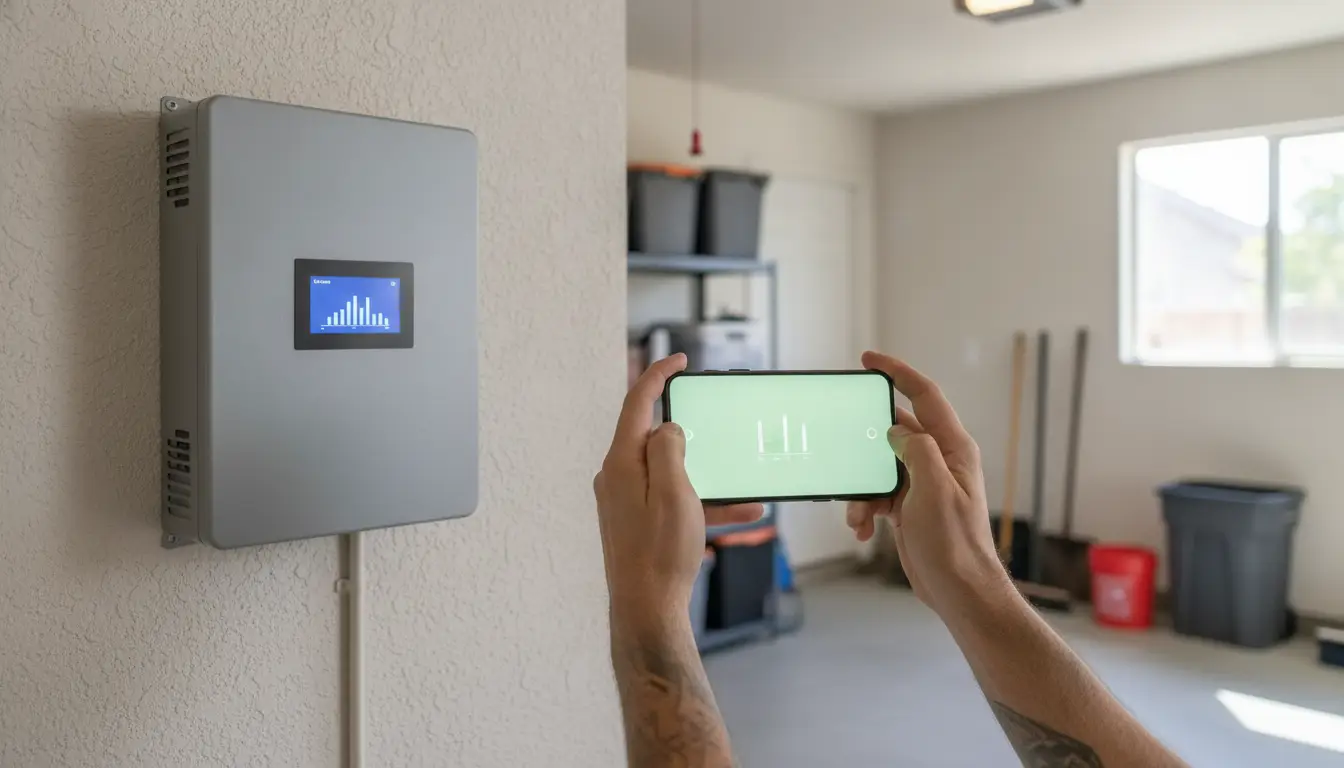
A solar app can look alarming when it stops updating. A blank screen does not mean your Sacramento system stopped making power. The first useful question is whether the problem is production or the connection from the inverter to the app.
Send AAA your solar monitoring screenshots
Solar panel monitoring can separate a lost connection from a real production drop. If the app has stopped updating but the inverter still looks normal, the array may be producing while its internet link is down. A lasting drop, a fault code, or a low pattern on comparable sunny days points to a different check.
Start by checking when the data last changed and whether the inverter or battery display shows a current operating status, today's production, or a fault. Then compare the pattern with a similar day in the same season rather than judging one cloudy day. Knowing what each screen measures makes that comparison much more useful.
What solar panel monitoring actually shows
Solar panel monitoring is a reading of what the equipment reports. It is not a verdict that a panel has failed. Most home systems show that reading in two places. One is the small screen on the inverter. The other is an app or a website tied to that same equipment. The screen is useful in the moment. The app is useful because it keeps yesterday, last month, and last summer.
On a basic inverter screen you can usually see four things. The unit shows whether it is running or sitting in a fault. It shows how much power the array is making right now. It shows how much electricity it has made today. If something is wrong inside the unit, it shows a fault code. A battery, when the house has one, adds a charge level and whether the battery is filling or emptying. That screen rarely stores a long history. It will not tell you how July compared with January.
An app stores that history. It can collect numbers from the inverter, from a separate monitor, or sometimes from the home's smart meter. A more detailed setup can also show electricity the house used, electricity bought from the utility, and electricity sent back to the grid. That extra picture is helpful, but only if you know which number you are looking at. Production and household use are not the same thing. A high bill can mean the house used more power. It does not, by itself, mean the panels quit.
How much detail you get depends on the hardware, not on the app icon. A string inverter usually reports the whole array. Some also split that into strings, which are groups of panels wired together. Microinverters, and some optimizer systems, can show one panel at a time. An app cannot invent a per-panel view if the hardware never measured one panel at a time. If you want the plain layout of panels, inverter, and wiring, the guide to how a home solar system is put together covers that. This page stays with the numbers on the screen.
The readings worth a glance on an ordinary week are short:
- Power right now, in watts or kilowatts, on a sunny afternoon.
- Kilowatt-hours made today.
- The date and time of the last update in the app.
- Any fault code, copied exactly.
- If you have a battery, its charge level and whether it is charging.
Panels do not announce a loose connection or a tired inverter. The monitor is how you notice. A good one shows a live snapshot and a record over time, and the better ones show when one panel or one string falls behind the others. That is the job. It is not a shopping guide, and it is not a repair quote.
Open the screen that matches your inverter
Start at ground level by reading the brand name on the inverter or its display. Then open the app made for that equipment, or the monitoring portal your installer set up. Common examples include Enphase Enlighten, SolarEdge monitoring, the Tesla app, and SMA Sunny Portal. These are examples of brand-specific tools, not recommendations to replace your equipment. If your installer uses its own portal, that may be the right place to look instead.
The app needs a way to receive updates from the system. Depending on the installation, that connection may use Wi-Fi, ethernet, or built-in cellular service. A blank app or an account that has stopped updating can mean the monitoring connection is offline, even if the panels are still producing electricity. It does not automatically prove that the array has stopped working.
The inverter display gives you a second check without requiring a long history in the app. It can show the system's current status, power being generated now, electricity produced today, and a fault code when one is present. The display may not show the same past-day or month-by-month information as the app, but it can help distinguish a monitoring problem from a visible inverter error.
- Confirm the app account. Open the brand's app or the installer's portal and use the account the installer set up. Make sure you are viewing your home system, not a blank or unassigned account.
- Check that the inverter screen is on. From the ground, look for the normal display or status information. Do not open the inverter or handle wiring.
- Note today's kilowatt-hours. Record the amount shown as generated today, along with the date and general weather, so you have a useful reference for later comparisons.
- Note any fault code. Write down the exact code on the inverter and in the app. A code helps a technician more than a note that the system "looks wrong."
If the app stays blank while the inverter looks normal, treat that as a possible communication issue. Do not guess at a panel failure. Save the recent readings and any alert. If the display shows an error or production stays unexpectedly low, solar repair service can help investigate the monitoring symptoms and accessible electrical components.
Read a normal day before you call it a problem
A solar monitoring app can make a change look more alarming than it is. A single cloudy day, a short winter day, new shade from a growing tree, or dirty glass can lower production without a failed part. Weather, season, shade, monitoring, and equipment condition all belong in the same review.
Start with a fair comparison. Compare a clear day with another clear day in the same season, rather than comparing yesterday's cloudy weather with today's sunshine. If your system includes a battery, account for how it is set to charge and discharge. The display may show what the system is producing now, today's generation, operating status, or a fault code, while the app or website may preserve a longer history. A communication problem can also make the app stop updating even when the array is still producing.
Long-term modeling can help set expectations, but it cannot diagnose one Sacramento home. The NREL PVWatts cautions explain that monthly solar radiation can vary about plus or minus 30 percent from the long-term average, while annual variation can be about plus or minus 10 percent. One month can swing by as much as 40 percent. These are long-term weather ranges, not a verdict about what happened on your roof yesterday.
Before calling a drop a failure, ask the original installer what a typical day looks like for your system in summer and winter. That answer is more useful than borrowing a production target from a different roof, orientation, array size, or battery setup. Keep a note of when the change began and whether it followed tree growth, roof work, an outage, a monitoring alert, or a change in household use.
- Compare similar clear days in the same season.
- Check whether the monitor is current and whether it reports a fault.
- Look for changes in shade, surface dirt, equipment status, or communication.
If the lower reading continues across comparable days, or the monitor reports a fault, gather recent production history, installer paperwork, equipment models, age, and warranty documents. AAA Electrical Services can review the symptoms through its solar panel maintenance service. Do not climb onto the roof to prepare for a visit; cleaning, roof work, electrical service, and manufacturer support may require different next steps.
Compare the two screens before you worry
A phone app and the box on the wall do not tell the same story. The app is convenient. The inverter display is the closer witness, because it does not need your home internet to say what it is doing right now. Use both before you decide the array has failed.
| What you see | Inverter display | Phone app or website |
|---|---|---|
| Power right now. | Yes, if the unit is on. | Only while the data link is working. |
| Today's kilowatt-hours. | Usually yes. | Yes, when the account is updating. |
| Last month or last year. | Rarely. Most screens stay on today. | Yes. This is the app's real job. |
| A fault code. | Yes, on the unit itself. | Often as an alert, if the link is up. |
| One panel versus the whole array. | Strings on some units. One panel only with module-level gear. | Same limit as the hardware. The app only shows what the inverter sends. |
| Blank or stuck. | The unit may be off, in a fault, or hard to read. | Often a lost Wi-Fi or login problem, not a dead array. |
If the wall screen shows power and the app shows nothing, start with the connection. If both show zero on a bright Sacramento afternoon, or the wall screen shows a fault code, treat that as an equipment question. Write the code down before you call. A photo of the screen is more useful than a summary from memory.
Tell a lost connection from a real production drop
This is the split that saves a wasted visit. A monitor has two jobs, and they fail in different ways. One job is making electricity. The other is sending a report of that electricity to your phone. When the report stops, the array may still be working.
The connection path is ordinary home internet. The inverter or a small monitor uses Wi-Fi, a network cable, Bluetooth to the router, or a built-in cellular link. If that path drops, the app freezes. The last good reading stays on screen. Sometimes the account goes blank. The inverter on the wall does not need that path to keep converting power. Its own display can still show today's kilowatt-hours and a status of "running."
A production problem looks different. On a bright afternoon the wall screen also shows zero, or it shows a fault code. The pattern lasts through several similar clear days, not one cloudy one. On a string inverter you may see one group of panels far below the other groups. On a microinverter system you may see a single panel sitting near zero while its neighbors look normal. That kind of gap is what module-level monitoring is for. Basic alerts only say the inverter is in an error state. A more detailed system may also hint at shade, dirty glass, or damage by comparing today with what it expected.
Shade and dirt are real, and they are not the same as a failed inverter. A tree that filled in, or pollen after a dry spell, can pull one part of the array down. If the glass looks filmed over from the ground, the separate guide to cleaning panels safely is the place for that job. Do not climb the roof to check. Cleaning, roof work, and electrical diagnosis are different tasks.
When the system is online and the parts were registered, some manufacturers and the original installer can see the same dashboard and try a remote check. That is a feature of a connected brand system. It is not a promise that every problem can be fixed from an office. Many checks still need a person at the house, looking at accessible equipment and the history you saved.
- Check the date stamp. If the app's last update is yesterday or last week, treat the phone as offline until you prove otherwise.
- Read the inverter display. From the ground, note whether it shows power now, kilowatt-hours today, and a normal status.
- Compare with a similar day. Use another clear day in the same season, not the storm day before this one.
- See whether one part is the outlier. A whole-array zero is a different clue from one string or one panel sitting alone at the bottom.
- Write down the fault code. Copy the characters exactly, and photograph the screen. A code beats a description.
If the wall screen is alive and only the app is stuck, restart nothing inside the electrical gear. Check that the home Wi-Fi is up, then use the account the installer created. If both screens show a fault or a sustained drop, stop guessing and save the history for the next section.
Save the history a technician will ask for
A useful first conversation starts with what you already have. No one needs roof access to begin. The notes on your phone, plus the label on the inverter. Tell a technician whether this is a lost connection, a production change, or a question for the manufacturer.
Before you call, gather a small packet:
- Screenshots of the last two similar weeks, including the date stamp on each reading.
- The day you first noticed the change, and what the weather was like.
- The inverter brand and model, copied from the label you can read from the ground.
- System age, the original installer, and any warranty pages you were given.
- Notes on anything that changed: roof work, a new tree, an outage, a monitoring alert, or a shift in how the house uses power.
Ask the original installer what a normal day should look like in summer and in winter, and how a battery is set to run if you have one. Those two answers keep a seasonal dip from being treated as a breakdown. If the app was never opened, say so. Missing history is itself a fact.
Some homes never got a monitor, or the old portal shut down when an installer left the business. Adding a device later is possible. It is usually cheaper to include monitoring when the system is installed, so confirm what you already own before you buy a second gadget. A new app will not create years of history that were never recorded. It can only start from the day it is connected.
Two AAA pages are the right next stop when you want a person to look with you, not a shopping list. A solar checkup is a conversation about the system you have, the numbers you saved, and what a visit should cover. Solar panel maintenance is the ongoing care side, including production questions that are not an emergency. Bring the packet either way. It shortens the first call.
When the monitor is a reason to call
Call when the reading stops being a puzzle and starts being a pattern. A fault code on the inverter is a reason. So is output that stays near zero on clear afternoons, after you have already checked that the app is updating. So is one string, or one panel, that sits far below the others for several similar days. A burning smell, a breaker that trips and then trips again, or a screen you cannot read at all are reasons to stop and phone.
AAA Electrical Services looks at solar from the electrical side. The team can review monitoring symptoms, accessible equipment, and the history you saved, then say what the next step is. That next step might be an electrical check. It might be a note to the manufacturer, a roofer, or a cleaning plan. Those are not the same job, and the scope should be clear before anyone starts. The company is licensed in California under CSLB 635556, and the people who come to the house are background-checked. Ask about the satisfaction terms that apply to the visit you book.
Phone 916-972-7515. Someone answers day and night. Answering the phone is not the same as a crew at the door. Appointment timing is confirmed with the team. The visit itself starts with a look at the story and a clear price before work begins. If the pattern is a real production drop rather than a dead Wi-Fi link, solar repair for low production is the service page that matches that question.
You do not need to open the inverter, pull a cover, or climb to the array to be ready for that call. A photo of the fault code and two weeks of readings are enough to start.
Call 916-972-7515 about a solar monitoring alert
Frequently Asked Questions
How can I monitor my solar panel output?
Read the inverter display for today's power and kilowatt-hours, then open the app that matches that inverter's brand. The app is where older days are stored. Use the account your installer set up. A random solar app will not see your hardware.
How can I monitor my solar panels remotely?
Remote viewing needs a working data link. That link is Wi-Fi, ethernet, or built-in cellular service from the inverter or a monitor. When the link is up, the app shows production from somewhere else. When the link is down, the wall display at home is the reading that still works.
What is the difference between a lost connection and low production?
A lost connection freezes the app while the inverter screen still shows power and a normal status. Low production shows up on the inverter too. Look for a fault code, a near-zero day on clear afternoons, or one string or panel far below the others.
Does one cloudy day mean the system needs repair?
No. Weather, season, shade, and dirty glass all move the number. Compare a clear day with a clear day in the same season. Call when the low reading repeats on similar days, or when the inverter shows a fault.
Can AAA check a system that another company installed?
Often, yes, if you can share the equipment label, warranty papers, and the monitoring history. Access and the brand of the gear decide what a visit can cover. Call 916-972-7515 and describe what the screen shows. The team will say whether a visit fits before anyone schedules it.
Talk through the reading with a local electrician
If the monitor and the inverter disagree, or they agree that production has fallen, you do not have to sort the rest out alone. Call AAA Electrical Services at 916-972-7515 and read the fault code from your notes. You can also send the screenshots through the contact page. The team will confirm scheduling and tell you the price before any work begins.