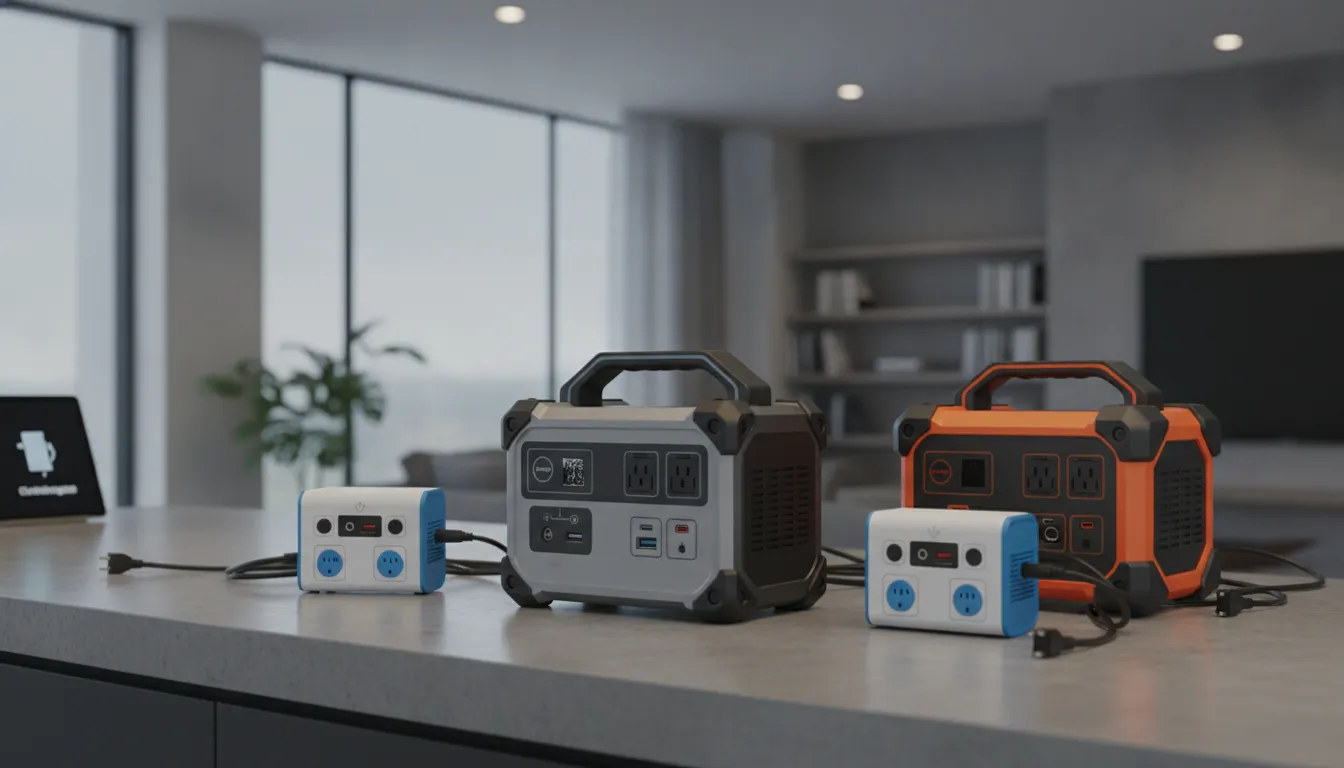
A power outage can disrupt far more than your lights. Food can spoil, internet service can stop, medical equipment may lose power, and a home office can suddenly go offline. Portable power stations for home backup offer a quiet way to keep selected essentials operating until utility service returns. They store electricity in a rechargeable battery and deliver it through AC outlets, USB ports, and DC connections. Still, every model has limits. Battery capacity, inverter output, appliance startup demands, and recharge options all affect performance. Before buying, learn how to compare these details and connect backup equipment safely.
Key Takeaways
- Choose based on your actual power needs: Compare usable battery capacity, continuous wattage, surge output, runtime, and recharge time with the appliances you plan to operate.
- Prioritize safe operation: Follow the manufacturer’s instructions, keep the unit dry and ventilated, use compatible charging equipment, and never connect it to a wall outlet to power home wiring.
- Plan for larger backup demands: Portable stations work well for selected devices, while HVAC systems, water heaters, panels, and whole-home circuits may require professional electrical work or generator installation.
What Are Portable Power Stations for Home Backup?
Portable power stations are rechargeable battery systems that provide electricity when utility power is unavailable. They can help keep a refrigerator, Wi-Fi router, phone, laptop, CPAP machine, or a few lights running during a short outage. Unlike fuel-powered generators, they do not burn gasoline or natural gas while operating, which means they produce no combustion emissions at the point of use. Many models are designed for indoor use, but you should always follow the manufacturer’s placement, charging, and temperature instructions.
A portable power station is not automatically a substitute for a whole-home backup system. Its usefulness depends on the battery’s usable capacity, the inverter’s output, the startup demands of connected appliances, and the length of the outage. Before shopping, make a list of the devices your household must keep running and record each one’s wattage. The Consumer Reports guide to portable power stations provides additional information about capacity, features, and performance testing.
For Sacramento homeowners, it is also important to consider how the station will connect to your home. Plugging individual devices directly into the unit is different from powering household circuits through a transfer switch or other approved equipment. If you are unsure whether your panel, circuits, or outlets can support your backup plan, AAA Electrical Services can review your residential electrical system and explain the available options.
Battery, inverter, outlet, and display basics
A portable power station has four main components. The battery stores energy, usually measured in watt-hours or kilowatt-hours. The inverter changes the battery’s direct-current power into alternating-current power for standard household appliances. Outlets and ports deliver electricity, while the display reports information such as remaining charge, input power, output power, and estimated runtime.
The battery determines how much energy the unit can store, but the inverter determines which appliances it can operate. A station with a large battery may still be unable to run a high-wattage appliance if its inverter output is too low. Check both continuous wattage and surge wattage ratings, particularly if you plan to run a refrigerator, freezer, sump pump, or another motor-driven appliance. The startup surge can briefly exceed the appliance’s normal operating wattage.
AC, DC, USB, and charging inputs
Portable power stations can provide several types of output. AC outlets accept standard household plugs, DC ports can run certain 12-volt devices, and USB-A or USB-C ports charge phones, tablets, laptops, and other electronics directly. Using USB or DC power can reduce conversion losses because the station does not need to change battery power into AC and then back into low-voltage DC power.
Most units recharge through a household AC outlet, a vehicle outlet, or compatible solar panels. Some larger systems also accept alternator chargers, smart generators, or home energy equipment. EcoFlow’s portable power station information describes several charging methods available across its product range. Before buying, check the maximum solar input, cable requirements, charging speed, and whether the station can charge while powering other devices.
Essential-load versus whole-home backup
Portable power stations generally work best for selected essential loads, not for powering an entire home. You might connect a refrigerator, router, phone charger, and lamp, but running several large appliances at once can exceed the inverter’s output. Electric water heaters, central air conditioners, electric ranges, clothes dryers, and well pumps commonly require more power than a portable unit can provide.
You can connect individual appliances with properly rated extension cords when the manufacturer permits it. Connecting a portable station to home circuits requires correctly installed transfer equipment. Never plug a power station into a wall outlet to energize household wiring. That can create dangerous backfeed and put utility workers at risk. An electrician can determine whether your home needs a dedicated circuit, generator inlet, transfer switch, or panel work. AAA Electrical Services can also discuss new circuit installation when your backup equipment requires a dedicated connection.
Usable capacity, runtime, and recharge needs
Battery capacity is listed in watt-hours or kilowatt-hours, but the full advertised amount is not always available to connected devices. The inverter uses some energy, and the battery management system may reserve part of the charge. Usable capacity is therefore lower than the nameplate rating. Look for tested runtime information when available, rather than relying only on the capacity printed on the box.
To estimate runtime, add the wattage of the devices you want to run and compare that total with the station’s usable capacity. A 60-watt router and a 10-watt light use about 70 watts together, before conversion losses. Refrigerators are more complicated because compressors cycle on and off and draw extra power when starting. The Department of Energy’s appliance energy guidance can help you estimate how appliance use affects electricity consumption.
Recharge planning matters during a longer outage. A wall outlet may refill the battery quickly, while solar charging depends on panel size, sunlight, temperature, shading, and the station’s input limit. If the battery runs out before utility power returns, the station cannot continue supplying electricity without another charging source.
Why portable power stations are not standby generators
A portable power station and a standby generator address different backup needs. A portable station stores a limited amount of electricity in advance, so it can provide quiet power for selected devices without fuel storage or combustion during operation. It can be a sensible choice for short outages, communication equipment, remote work, medical devices, and small appliances.
A standby generator uses an external fuel source and starts automatically when it detects an outage. With professional installation and properly sized equipment, it can supply multiple home circuits or much of the home. It also requires planning for fuel, ventilation, maintenance, and transfer equipment. Homeowners who experience frequent or extended outages should review generator installation options with a licensed electrical professional instead of relying on a portable battery alone.
Weigh Portable Power Station Benefits and Limits
Portable power stations can be a useful part of a home emergency plan when you need to keep a few essential devices running. They store electricity in a rechargeable battery and deliver it through built-in outlets, so they do not require gasoline, oil, or permanent installation. That makes them quieter and simpler to use than many fuel-powered generators.
They are not a universal replacement for a standby generator, though. Battery capacity, inverter output, recharge time, and operating conditions determine what a unit can power and for how long. A model that runs a refrigerator, Wi-Fi router, and several lights may not support a central air conditioner, well pump, or electric water heater.
Before you shop, list the appliances and devices your household considers essential. Note each item’s running wattage, startup demand, and expected operating time. Then compare those requirements with the power station’s specifications. For help evaluating circuits, outlets, or higher-demand backup options, AAA Electrical Services provides residential electrical services throughout the Sacramento metropolitan area.
Run power quietly without combustion emissions
Portable power stations run on stored battery energy, so they do not burn gasoline or propane while supplying electricity. That means no engine noise, exhaust, or carbon monoxide from the unit itself. Consumer Reports explains that some models can be used indoors when the manufacturer permits it, including in spaces such as kitchens, basements, and garages. Always read the owner’s manual because approved locations vary by model.
Quiet operation can be helpful during nighttime outages, work calls, or periods when someone in your household needs uninterrupted rest. A battery unit also avoids the fuel storage and exhaust concerns associated with conventional generators. However, it still needs adequate clearance, a stable surface, and protection from moisture. Never assume that every portable power station is appropriate for every indoor space. Check its operating temperature, ventilation, and placement requirements before connecting appliances.
Back up communication, work, and medical devices
Depending on its output rating, a portable power station may run a Wi-Fi router, phone chargers, laptop, monitor, LED lights, television, refrigerator, or CPAP machine. Higher-output models can support several essential devices at once, but the combined demand must remain within the unit’s continuous and surge limits. An overview of common portable power station uses can help you compare the types of devices different models support.
Start by identifying what your household needs most. Communication equipment, medication storage, medical devices, and basic lighting may be more important than entertainment appliances. Check each device’s label or manual for wattage requirements, and follow guidance from the medical-device manufacturer. If a medical device is critical, ask the equipment provider whether a portable power station is an approved backup source.
Maintain low-maintenance emergency power
Compared with a gas generator, a portable power station has fewer routine mechanical tasks. There is no engine oil to replace, spark plug to inspect, or fuel supply to rotate through storage. Many models use lithium iron phosphate, or LiFePO4, batteries, which are designed for repeated charging and discharging when operated within the manufacturer’s limits.
Low maintenance does not mean maintenance-free. Keep the unit at the recommended storage charge, inspect its housing and cables, and test it periodically. Check the display for battery warnings and install firmware updates if the model includes an app. Some power stations accept expansion batteries, which can provide longer backup times without replacing the main unit. Battery capacity still declines with age, so plan for eventual replacement and use an appropriate battery recycling resource when the unit reaches the end of its service life.
Charge with solar during extended outages
Solar panels can recharge a compatible power station when the utility remains down for an extended period. This can reduce reliance on a wall outlet or vehicle, but solar charging does not provide a consistent amount of energy in every condition. Clouds, wildfire smoke, shade, panel angle, weather, and seasonal daylight can all reduce the power collected.
Before pairing panels with a power station, confirm the unit’s solar input voltage, amperage, connector type, and maximum wattage. Exceeding those limits can damage the equipment. Place panels where they receive direct sunlight, protect the cables, and expect longer charging times during poor conditions. If your home already has a solar system, AAA Electrical Services offers solar panel maintenance. A portable power station may still require separate equipment and connection planning.
Manage limited runtime for high-draw appliances
A power station’s battery does not provide unlimited electricity. A simple starting point for estimating runtime is the battery capacity in watt-hours divided by the appliance’s wattage. For example, a 1,000-watt-hour unit connected to a 100-watt device may provide roughly 10 hours before accounting for inverter losses, battery reserve, and changing power demand. Consumer Reports’ power station guidance explains why actual runtime can differ from a basic estimate.
High-draw appliances use stored energy quickly. A microwave, coffee maker, space heater, hair dryer, or pump may consume more power than a small unit can provide. Motors also need extra electricity when starting, so a refrigerator may briefly demand much more than its running wattage. Use the manufacturer’s runtime estimates as a guide, then allow room for efficiency losses and reserve capacity.
Account for weight, recharge time, and battery aging
Portable does not always mean easy to carry. Consumer Reports notes that some power stations weigh roughly 30 to 100 pounds, with larger models sometimes including wheels. Think about where you will store the unit, where you will use it, and whether one person can move it safely. A heavy model may be difficult to carry upstairs or position near an appliance during an outage.
Recharge time matters as much as capacity. A large battery can run more devices, but it may take several hours to recharge from a wall outlet and much longer through solar panels. Review the advertised AC, vehicle, and solar charging times before buying. Battery performance also changes with age, temperature, charging habits, and usage cycles. A unit that meets your needs when new may offer less usable capacity later, so include battery aging in your backup plan.
Follow indoor, outdoor, weather, and heat limits
Read the operating and storage instructions before placing a power station in a garage, basement, patio, or living area. Some models are approved for indoor use, while others require protection from rain, splashes, dust, or extreme temperatures. Even a weather-resistant unit should not sit in standing water or remain exposed to direct heat for long periods.
Keep the power station away from sinks, leaking pipes, heaters, furnaces, and blocked vents. Do not cover it while charging, and leave the clearance specified by the manufacturer. LiFePO4 batteries are designed with safety advantages over some traditional lithium-ion chemistries, but any battery can become hazardous if damaged, overheated, modified, or charged incorrectly. Stop using a unit that swells, smells unusual, overheats, or shows visible damage. Follow the manufacturer’s instructions for inspection, service, and disposal.
Understand limits for HVAC, EV charging, and whole-home power
Portable power stations work best when assigned to selected essential loads, not an entire home. Central air conditioners, heat pumps, electric furnaces, well pumps, electric water heaters, and other large appliances may exceed the unit’s continuous or startup output. Even if an appliance turns on, the battery may not run it long enough to provide meaningful backup.
Electric vehicle charging presents a similar challenge. EVs store far more energy than most portable power stations, so charging an EV from one may be slow, impractical, or outside the unit’s approved use. Never connect a portable power station to a home circuit through a wall outlet. That can create dangerous backfeed. A properly installed transfer switch or generator inlet is required for connection to household wiring. For larger loads, review generator installation options with a licensed electrical professional.
Compare Portable Power Stations With Other Backup Options
A portable power station can provide dependable electricity for selected household essentials, but it is not a universal replacement for every backup system. These battery-powered units are useful for refrigerators, Wi-Fi equipment, phones, laptops, lights, CPAP machines, and some other medical devices. They produce no combustion emissions during operation, make little noise, and can often recharge from a wall outlet, vehicle, or solar panels.
Other backup options serve different purposes. A gas generator can continue running as long as you have fuel, while a standby generator can automatically power selected circuits or the entire home. Solar-plus-storage systems offer a more permanent energy solution, and an uninterruptible power supply (UPS) protects sensitive electronics for a shorter period. Compare each option by capacity, runtime, installation, maintenance, safety, and the loads you need to support. That comparison will help you choose equipment that fits your Sacramento home and outage expectations.
Compare portable power stations with gas generators
Portable power stations store electricity in a battery and deliver it through an inverter. They do not burn gasoline or propane while operating, produce no carbon monoxide emissions, and generally require less maintenance than gas generators. They also run quietly, which can make them more comfortable near bedrooms, home offices, and neighboring properties. Anker’s portable power station information explains how battery-powered units differ from fuel-burning generators.
Gas generators have a key advantage during extended outages: you can restore their runtime quickly by adding fuel. Depending on the model, they may also support larger appliances and higher startup loads. However, they must run outdoors and away from doors, windows, and vents because engine exhaust contains carbon monoxide. You will also need to store fuel safely and keep up with oil changes, inspections, and periodic test runs.
Compare portable power stations with standby generators
A standby generator is installed permanently outside the home and connected to the electrical system. When utility power fails, an automatic transfer switch can start the generator and direct electricity to selected circuits or the entire house. This setup can provide reliable backup for longer outages and high-demand equipment, including heating and cooling systems, sump pumps, refrigerators, and other essential loads.
A portable power station is easier to move and usually requires less installation. You can use it in different rooms, take it outdoors, or recharge it from a vehicle or solar panel. The tradeoff is capacity and runtime. Most portable units are better suited to essential appliances than whole-home coverage. If you are considering automatic backup, review your electrical system and generator installation options with a licensed professional before choosing equipment.
Compare portable power stations with solar-plus-storage systems
Solar-plus-storage systems combine solar panels with a permanently installed battery. Depending on the design, the system can store excess solar energy, provide backup power during an outage, and recharge when sunlight is available. This can suit homeowners who want a long-term energy system that supports everyday use as well as emergency power.
The initial cost and installation requirements are usually higher than those of a portable power station. A solar battery may require compatible inverters, electrical upgrades, permits, and professional installation. A portable unit is simpler to set up and may still accept solar charging, making it useful for extending runtime during an outage. If your home already has solar panels, schedule solar panel maintenance to confirm that the system is ready to perform when you need it.
Compare portable power stations with UPS battery backups
A UPS protects connected electronics from brief interruptions and voltage changes. It switches to battery power almost immediately, giving a desktop computer, modem, router, or medical device time to continue operating or shut down safely. Most UPS systems have limited battery capacity, so they are intended for short runtimes rather than hours of household backup.
Some portable power stations include UPS functionality, but the performance varies by model. Before connecting sensitive electronics, check the transfer time, pass-through charging behavior, supported load, and available battery reserve. A small UPS can protect a computer, while a larger power station runs the router, monitor, or other essential devices. Professional home surge protection can provide another layer of protection against damaging voltage spikes.
Weigh noise, emissions, fuel, installation, and maintenance
Portable power stations are a practical choice when you want backup electricity without engine noise, exhaust, or fuel storage. Many operate at approximately 30 to 45 decibels, although the cooling fan may become louder during charging or when the unit powers a heavy load. Routine care usually includes recharging the battery, inspecting cords and ports, installing firmware updates, and following the manufacturer’s storage instructions.
Gas and standby generators require more planning. Engines need regular service, fuel must be available, and operation must follow strict carbon monoxide safety practices. A standby system also requires professional installation, including a properly sized transfer switch and connections to the home’s electrical equipment. Regardless of the system you choose, have an electrician inspect circuits, outlets, panels, or transfer equipment that may need repair before an outage occurs.
Match backup equipment to outage length and household loads
Start by listing the devices that must remain available during an outage. Include the refrigerator, freezer, CPAP machine, medical equipment, internet equipment, phones, lights, and any other essential loads. Record each appliance’s running wattage and startup wattage, since motors in refrigerators, pumps, and fans can briefly draw much more power when they start.
Next, estimate how long each load needs to run. A portable station may work well for a short outage or a small group of essential devices, especially if solar charging is available. A gas generator may be more suitable for a longer outage when refueling is practical. A standby generator or solar-plus-storage system may make more sense when you need automatic operation, longer runtime, or broader home coverage. If you are unsure whether your panel, circuits, or backup equipment can support your plan, AAA Electrical Services can assess your home’s electrical system and recommend a safer setup.
Choose the Right Capacity, Output, and Runtime
A portable power station is only useful when it matches the appliances you need during an outage. Choosing a model by battery capacity alone can leave you with plenty of stored energy but not enough output to start a refrigerator, power a medical device, or run several electronics at once.
Before you shop, identify your essential loads and estimate how much power they require. Then compare those requirements with each station’s usable capacity, continuous output, surge rating, recharge time, and charging options. This approach helps you avoid paying for features you do not need while making sure the unit can support your household’s backup plan.
Portable power stations work best for selected appliances and devices. They may not be suitable for central air conditioning, electric water heaters, or whole-home backup. If you need to power larger loads or connect backup equipment to your home’s electrical system, speak with a licensed electrician. AAA Electrical Services can help you assess your needs and provides generator installation and repair for higher-demand backup solutions.
Create an essential-load worksheet before shopping
Start by listing the appliances and devices you want to use during an outage. Common essentials include a refrigerator, freezer, CPAP machine, modem, router, phone chargers, laptops, medical equipment, LED lights, and fans.
For each item, record its running wattage, estimated startup wattage, and expected daily operating time. Appliance labels and owner’s manuals can provide useful information. For a more accurate reading, you can use a watt meter to measure actual energy consumption.
Your worksheet should answer three questions:
- Which devices must remain powered?
- How much power does each device need while operating?
- How long should each device run before the station can recharge?
Add the running wattage for appliances you expect to use at the same time. Then note which devices have motors or compressors that may require extra power at startup. This worksheet gives you a practical way to compare models based on your household’s needs rather than a product’s headline specifications.
Compare watt-hours, usable watt-hours, and battery reserve
Watt-hours, written as Wh, indicate how much energy a battery stores. Watts, written as W, indicate how much power a station can provide at one time. These measurements describe different capabilities, so review both before making a purchase.
A station with a large Wh rating may store enough energy for a long outage but still lack the output needed to start a refrigerator or power a high-demand appliance. The advertised battery capacity also may not equal the energy available to your devices. Power is lost as electricity passes through the inverter, and some units reserve a portion of the battery to protect its health.
Look for a usable watt-hour rating when the manufacturer provides one. It gives you a more realistic starting point for estimating runtime. Consumer Reports explains the difference between energy storage and power delivery in its guide to portable power station performance.
It is also smart to keep a reserve. Draining the battery completely on the first night could leave you without power for a CPAP machine, phone charger, or refrigerator cycle later in the outage.
Distinguish continuous watts from surge watts
Continuous output is the amount of power a station can provide steadily. Surge output is the short burst of power available when certain appliances start. Motors and compressors, including those in refrigerators, freezers, pumps, and some fans, may need significantly more power during startup than they use during normal operation.
Check both ratings in the product specifications. For example, a station may provide 1,800 continuous watts and 3,600 surge watts. The higher surge rating can give a motor-driven appliance enough power to start without causing an overload shutdown.
Do not assume that a larger battery automatically has a stronger inverter. A station may run low-wattage devices for many hours but still lack the output needed for a compressor or pump. Your worksheet should include the highest startup demand, not only the average running load.
If several appliances start at the same time, their surge demands may overlap. Staggering appliance use can reduce the strain on the inverter, but the station should still meet the highest expected demand.
Account for refrigerator and motor startup loads
Refrigerators need special consideration because they cycle on and off throughout the day. Their average energy use may be moderate, but the compressor can draw a significant amount of power when it starts. One outage-planning estimate places average refrigerator use near 1.5 kilowatt-hours over 24 hours, while startup demand may reach roughly 1,500 watts.
Actual requirements vary by the refrigerator’s size, age, efficiency, and condition. Check the appliance label or owner’s manual, then compare its expected startup demand with the station’s surge rating. If the available specifications are unclear, a watt meter or professional assessment can provide better information.
Avoid connecting several motor-driven appliances at the same time. Let the refrigerator start first, then add other devices one at a time. If the station shuts down because of an overload, unplug unnecessary devices and follow the manufacturer’s reset instructions.
A refrigerator may not need to run continuously to keep food cold. Keeping the doors closed and using an appropriate outage plan can reduce unnecessary cycling, but never compromise food safety to conserve battery power.
Calculate the load from multiple appliances
Add the running wattage of every device you expect to use at the same time. For example, a refrigerator using 150 watts, a router using 15 watts, two LED lamps using 20 watts combined, and a laptop using 60 watts create a running load of about 245 watts.
Next, account for startup surges. If the refrigerator needs approximately 1,500 watts when its compressor starts, the station must handle that surge while also supplying the router, lights, and laptop. Compare the total running load with the continuous rating, then compare the largest combined startup demand with the surge rating.
Do not use the number of AC outlets as a measure of capacity. A station with several outlets may still have one total inverter limit across all of them. Review the total output rating, individual outlet limits, and overload behavior before connecting multiple appliances.
If your calculated load is close to the station’s maximum, choose a larger model or reduce the number of devices running simultaneously. Leaving some capacity available can help prevent nuisance shutdowns and gives you flexibility if an appliance draws more power than expected.
Estimate runtime with inverter efficiency
A basic runtime estimate starts with usable watt-hours divided by the device’s power draw. For example, a station with 1,000 usable watt-hours connected to a 100-watt load may provide about 10 hours under ideal conditions.
Actual runtime will be shorter because the inverter consumes energy, the battery may reserve some capacity, and connected appliances may draw varying amounts of power. The station’s display, cooling system, and internal electronics can also use a small amount of energy. Consumer Reports provides additional guidance on using watt-hours and watts to estimate portable power station runtime.
For a more useful estimate, calculate each appliance separately. A router may run continuously, while a refrigerator cycles on and off. A CPAP machine may operate for eight hours overnight, and a laptop may run only during work periods.
If the manufacturer provides an efficiency rating, include it in your calculation. Otherwise, treat the simple division as an estimate, then allow extra capacity for operating conditions and unexpected power use.
Compare recharge time with outage duration
Battery capacity tells you how long a station may run, but recharge time determines whether it can keep up during a prolonged outage. Compare the manufacturer’s AC charging time and solar input rating with the expected outage length. A station that takes many hours to recharge may not recover enough energy between uses.
Solar panels can extend runtime, but charging may be slow in cloudy conditions, shade, winter weather, or wildfire smoke. Consumer Reports recommends treating solar charging mainly as a way to extend runtime rather than relying on it as the only recharge method.
Check whether the station supports fast AC charging, vehicle charging, solar charging, or dual charging. Confirm the required cables, input limits, and charging conditions before purchasing additional equipment.
If you plan to use rooftop solar during an outage, remember that many home solar systems shut off when the utility grid fails. Approved backup equipment may be required for safe operation. AAA Electrical Services offers solar checkups to help homeowners assess system condition and maintenance needs.
Choose pure sine wave output for sensitive electronics
A pure sine wave inverter produces smooth, stable AC power that closely resembles utility power. It is a strong choice for sensitive electronics, including CPAP machines, computers, monitors, networking equipment, medical devices, and appliances with electronic controls.
Many portable power stations include pure sine wave output, but verify the specification instead of assuming it. The product page or owner’s manual should identify the inverter type clearly. You should also check the connected device’s manufacturer guidance, particularly for medical equipment or electronics with specific power requirements.
Pure sine wave output does not solve every backup concern. The station still needs enough continuous power, surge capacity, and runtime for the connected load. A CPAP machine, for example, may work with clean power but still require more energy if its humidifier or heated tubing is enabled.
For medical equipment, follow the manufacturer’s backup instructions and keep an alternate plan available for an extended outage. If you are unsure whether a power station is compatible with a critical device, contact the device manufacturer or a qualified electrical professional before relying on it.
Identify Appliances a Portable Power Station Can Run
A portable power station can keep essential household devices running during an outage, but it cannot replace unlimited utility power. Whether it works for a particular appliance depends on the station’s continuous output, surge rating, usable battery capacity, and the appliance’s actual power requirements.
Start by listing the devices you would need during an outage, such as a refrigerator, CPAP machine, Wi-Fi router, lights, or phone chargers. Check each appliance’s label and owner’s manual for running watts, starting watts, voltage, and amperage. Then compare those requirements with the power station’s specifications. Consumer Reports’ portable power station guidance can help you compare battery capacity, output, and measured performance.
Never connect a portable power station to a wall outlet to energize household circuits. That can send electricity back through the wiring and create a serious hazard. If you want backup power connected to selected circuits, contact a licensed electrician, such as AAA Electrical Services, to discuss a safe setup.
Run refrigerators and freezers within their wattage limits
Refrigerators and freezers are common backup priorities because they help protect food during an outage. A portable power station may run either appliance if its inverter can handle the compressor’s starting surge and its battery has enough usable capacity.
Running wattage is only part of the calculation. Compressors briefly draw more power when they start, so compare the appliance’s startup requirement with the station’s surge rating. Runtime also changes with room temperature, food load, door openings, and compressor cycles. To conserve energy, keep the doors closed and avoid powering several high-draw appliances at the same time. If you need reliable backup for refrigeration or other motor-driven equipment, have a professional review the expected load.
Power CPAP machines and medical equipment
A portable power station may support a CPAP machine or other medical equipment, but compatibility must come first. Check the device’s voltage, wattage, plug type, adapter requirements, and approved power sources before connecting it. A heated humidifier can use substantially more energy than the CPAP machine alone, although you should change settings only when permitted by the equipment manufacturer or your healthcare provider.
Do not assume every AC outlet, USB port, or adapter is appropriate for medical equipment. Some devices may require pure sine wave output or a specific battery system. The EcoFlow portable power station collection highlights specifications buyers should review, including output, weight, and battery expansion. If someone in your household depends on powered medical equipment, maintain a second backup plan and follow the provider’s emergency instructions.
Keep Wi-Fi routers, phones, laptops, and office devices running
Small electronics are generally easier for a portable power station to support than heating, cooling, or motor-driven appliances. During a short outage, a charged unit can keep a Wi-Fi router, phone chargers, laptop, monitor, or small office setup operating. That can help you receive emergency alerts, contact family members, work remotely, and access important information.
To extend runtime, use lower screen brightness, enable battery-saving settings, and shut down devices when they are not needed. USB or DC charging may use less energy than converting battery power to AC and then back to DC through a regular charger, but confirm that the voltage and charging protocol are compatible. Keep essential cables together and label unfamiliar adapters before an outage occurs.
Power LED lights, fans, and small electronics
LED lamps, rechargeable lanterns, small fans, radios, cameras, and similar electronics usually work well with portable power stations. Their lower wattage allows the battery to support several items for longer than it could support a heater, microwave, or air conditioner.
Use task lighting instead of illuminating every room, and choose LED bulbs instead of incandescent bulbs. A small fan can improve airflow and comfort, but it will not provide the same cooling as an air-conditioning system. EcoFlow’s portable power station information describes smaller units as suitable for devices such as lights, laptops, cameras, and small appliances. Inspect cords and adapters before use, and avoid overloading an outlet or power strip.
Use caution with coffee makers, microwaves, pumps, and heaters
Coffee makers, microwaves, space heaters, hair dryers, and similar appliances can consume several times more power than a laptop or LED light. Pumps also require care because their motors may draw a large surge when starting. A power station might appear to have enough continuous output but shut down as soon as one of these appliances turns on.
Compare both the appliance’s running wattage and the station’s surge rating. Also consider battery capacity, since a high-wattage appliance can drain a small battery quickly even when the inverter handles the load. Never operate a portable power station with a wet appliance, damaged cord, or overloaded power strip. For a sump pump or another critical motor load, ask a licensed electrician to assess a more dependable backup arrangement.
Understand limits for air conditioners and electric water heaters
Air conditioners and electric water heaters are among the most difficult appliances for portable power stations to support. An air conditioner combines high energy use with compressor startup demand, while an electric water heater requires substantial power to heat water. Even a large battery may run either appliance for only a short period, if the inverter can operate it at all.
Check the appliance’s data plate and compare its voltage, amperage, running watts, and startup requirements with the station’s specifications. Actual runtime will change as compressors cycle, outdoor temperatures rise, and other devices draw power. A portable station may handle a small personal fan more effectively than central air conditioning. For higher-demand backup, review options such as generator installation and repair with a qualified electrical professional.
Check appliance labels and manufacturer requirements
Begin with the appliance label, owner’s manual, or manufacturer support page. Look for running watts, starting watts, voltage, amperage, and special power requirements. If the label lists amps rather than watts, ask a qualified professional for help estimating the appliance’s demand. Avoid guessing when the device is expensive, essential, or powered by a motor.
Next, compare those requirements with the station’s continuous AC output, surge output, usable watt-hours, recharge time, and charging options. A unit with a high watt rating may still provide limited runtime if its battery is small. Also check for pure sine wave output, solar charging, vehicle charging, and expansion battery compatibility. Anker SOLIX’s power station specifications provide examples of the capacity, output, charging speed, and solar input details buyers should review.
Follow medical-device battery guidance and backup precautions
Medical equipment needs more planning than ordinary household electronics. Follow the device manufacturer’s guidance for approved adapters, voltage limits, grounding, battery use, and expected runtime. Do not modify a plug or use an unapproved converter simply because it fits the power station.
Test the complete setup before an outage. Run the equipment from the power station for a planned period, confirm that alarms and settings work normally, and note how much battery remains. Keep the original power supply and cables accessible, and arrange another backup option if the equipment is essential for health or safety. If you are unsure about compatibility, contact the medical-device manufacturer or a qualified electrician. You can also ask AAA Electrical Services about home surge protection and other electrical safety needs before relying on backup power.
Choose the Portable Power Station Features That Matter
Capacity and output ratings help narrow your choices, but they are only part of the decision. A portable power station should also be safe, practical, and suited to the way you plan to use it during an outage. The right model for a router and a few phones may not have the ports, battery life, or output needed for a refrigerator, CPAP machine, or sump pump.
Start by listing the devices you want to run, how long you expect to use them, and how you plan to recharge the station. Then compare battery chemistry, inverter type, charging methods, safety controls, portability, and warranty support. These details often matter more than a manufacturer’s headline capacity.
Pay close attention to the difference between convenience features and features that affect safe operation. An app can make it easier to monitor battery levels, while overload protection helps prevent damage when a connected appliance draws too much power. If you plan to connect backup equipment to your home wiring, speak with a licensed electrician about the correct equipment and installation method. AAA Electrical Services can help assess home surge protection and other electrical safety needs.
Also consider where you will store and use the unit. A heavy station with limited ventilation may not be practical for a second-floor room, while a compact model may not provide enough power for your essential appliances. Matching the features to your home, equipment, and expected outage conditions will help you avoid paying for capabilities you will not use.
Compare LiFePO4 chemistry, cycle life, and battery management
Many current power stations use lithium iron phosphate, or LiFePO4, batteries. This chemistry is known for strong thermal stability and a longer rated cycle life than some older lithium-ion battery types. It can be a practical choice if you expect frequent charging, solar input, or regular testing.
Cycle life refers to the number of charge and discharge cycles a battery can complete before its capacity falls to a specified level. Check the manufacturer’s definition, since one brand may measure a cycle at a full discharge while another uses partial cycles.
Also review the battery management system, or BMS. It should monitor temperature, voltage, current, and state of charge. These controls help protect the battery during charging and use. The U.S. Department of Energy’s battery guidance offers additional information about lithium-ion battery care.
Choose pure sine wave inverters for sensitive electronics
The inverter changes the battery’s stored DC power into AC power for household devices. A pure sine wave inverter produces electricity that more closely matches utility power, making it the preferred option for sensitive electronics and equipment with motors.
Look for pure sine wave output if you plan to run computers, monitors, CPAP machines, refrigerators, fans, audio equipment, or devices with variable-speed motors. A lower-cost modified sine wave inverter may work with basic appliances, but it can cause buzzing, excess heat, reduced performance, or charging problems in some equipment.
Check both continuous output and surge output. The continuous rating indicates what the station can supply over time, while the surge rating covers brief startup demands. Read the specifications for each outlet, since the total station output and the limit for one port may differ. Follow the device manufacturer’s requirements, especially for medical equipment.
Review AC, solar, and car-charging options
A useful power station gives you more than one way to recharge. AC charging from a household outlet is usually the fastest and most predictable option. Car charging can help when the power is out, but it may take several hours and should only be used while the vehicle is running in a safe, well-ventilated outdoor location.
Solar charging adds another option during longer outages. Before buying panels, confirm that the panel voltage, connector, and total wattage match the station’s input requirements. Some power stations accept only a narrow voltage range, while others can use several panels connected in a specific configuration.
Review whether the solar input is built in or requires a separate adapter. Also check whether the manufacturer sells compatible panels and cables. An incompatible connection can prevent charging or damage the equipment. For homes with existing solar equipment, AAA Electrical Services offers solar panel maintenance to help identify electrical issues that may affect your broader backup plan.
Check solar input limits, fast charging, and dual charging
A station’s maximum solar input determines how quickly it can recharge in good conditions. A larger panel array does not necessarily mean faster charging if the power station caps incoming wattage. Compare the station’s maximum input watts, voltage range, and current limit with the panel specifications.
Fast AC charging can be useful when an outage begins with little warning. Some models also support dual charging, such as AC and solar at the same time, or AC and a vehicle connection. This can reduce recharge time, but only if the station is designed to accept both sources together.
Real-world solar performance varies with clouds, shade, panel angle, smoke, dirt, and temperature. Treat advertised recharge times as ideal estimates. If you live in an area affected by wildfire smoke, plan for slower charging and keep another recharge method available. Confirm whether the station limits solar input when another charging source is connected.
Understand UPS and pass-through power limits
A power station with UPS, or uninterruptible power supply, functionality can keep certain devices running when utility power fails. It detects the outage and switches the connected load to battery power. This can help with routers, computers, security equipment, and other electronics that may restart when power is interrupted.
However, many portable power stations are not a replacement for a dedicated UPS designed for sensitive equipment. Transfer times vary, and some devices may still shut down during the changeover. Check the manufacturer’s stated transfer time and confirm that it meets your equipment’s requirements.
Pass-through charging lets the station power connected devices while it charges, but the feature has limits. It may create additional heat, affect battery wear, or become unavailable at very high or low charge levels. Use a purpose-built UPS for equipment that cannot tolerate even a brief interruption, and follow the device manufacturer’s guidance.
Look for overload, short-circuit, temperature, and surge protection
A dependable power station should include several layers of protection. Overload protection disconnects output when connected devices draw more power than the inverter can provide. Short-circuit protection responds to a fault in a cord, plug, or appliance. Temperature monitoring can reduce or stop charging when the battery or inverter becomes too hot.
Some models include surge protection for connected electronics, but do not assume this feature replaces whole-home protection. A portable station protects devices connected to it, while a properly installed home surge protective device can help protect electrical equipment connected throughout the house. AAA Electrical Services provides home surge protection for Sacramento-area homeowners.
Inspect the power station before every use. Do not operate a unit with a cracked case, damaged cable, swelling, liquid exposure, or unusual odor. Keep vents clear, use compatible chargers, and stop using the station if it repeatedly shuts down under a normal load. Store it away from heat, moisture, and combustible materials.
Consider expansion batteries and modular capacity
Some power stations accept expansion batteries that increase total stored energy. This can be useful if you want to begin with a smaller unit and add capacity later for refrigerators, networking equipment, lights, or longer outages.
Before choosing a modular system, check the maximum supported capacity and whether expansion batteries must match the original model. Review how the added batteries affect weight, charging time, warranty coverage, and portability. A larger system may be harder to move and may require a permanent location.
Expansion capacity does not automatically increase output power. A station may store more watt-hours while retaining the same inverter wattage. That means it can run existing loads longer, but it may not run a new high-demand appliance. Confirm both total capacity and continuous output before adding batteries.
If your household needs enough power for major circuits, HVAC equipment, or extended outages, compare the system with a properly installed generator or solar-plus-storage setup. AAA Electrical Services can also discuss generator installation for homes that need higher-demand backup power.
Compare ports, displays, apps, handles, wheels, and noise
Count the ports you will actually use. Check for 120-volt AC outlets, USB-A, USB-C, 12-volt DC ports, and specialized connectors. USB-C power delivery can charge some laptops directly, which may avoid running the inverter and conserve energy.
A clear display should show battery percentage, input wattage, output wattage, estimated runtime, and warning codes. An app can provide remote monitoring, firmware updates, and control over charging settings, but the station should remain usable if your phone or internet connection is unavailable.
Weight and shape matter during an outage. Handles and wheels make a heavy unit easier to position, but stairs and uneven ground can still be difficult. Compare fan noise as well. A station may be quiet at low loads but noticeably louder while fast charging or powering a high-wattage appliance. Place it where air can circulate without putting it in a bedroom or blocking an exit.
Verify safety certifications, warranty coverage, and support
Look for clear safety testing and certification information, not vague claims about being “certified.” Depending on the product and market, relevant markings may include UL, ETL, or other recognized testing labels. Confirm that the certification applies to the complete power station, not only one component.
Read the warranty terms before buying. Check the coverage period for the battery, inverter, charger, and expansion batteries, along with exclusions for outdoor exposure, improper storage, or commercial use. A longer warranty is helpful only if the company provides accessible support and replacement parts.
Keep the receipt, model number, serial number, and manuals in a safe place. Confirm the return policy and the process for reporting a damaged battery. The Consumer Product Safety Commission’s lithium-ion battery guidance provides useful safety information for products that use this battery type. For backup systems that connect to home circuits, arrange an evaluation with a qualified electrician before installation.
Choose the Best Portable Power Station for Your Needs
The best portable power station depends on the devices you need to run, how long an outage may last, and where you plan to use the unit. A compact battery may be enough for phones, lights, and internet equipment. A larger model may support a refrigerator, CPAP machine, medical equipment, and several electronics at the same time. Start by listing your essential loads before comparing brands or battery sizes.
Pay attention to both capacity and output. Capacity affects how long the battery can provide energy, while output determines which appliances it can run at once. You should also compare recharge methods, noise, weight, warranty coverage, and compatibility with solar panels or expansion batteries.
A portable power station may not be suitable for high-demand appliances or whole-home backup. If you need to power larger circuits, add a new circuit, repair your electrical panel, or install a permanent generator, AAA Electrical Services can inspect your system and help you compare practical options. Their residential electrical services support homeowners throughout the Sacramento metropolitan area.
Choose compact models for lights, phones, routers, and laptops
Compact power stations work well when your main goal is keeping small electronics available during a short outage. These models can typically support phones, tablets, LED lights, Wi-Fi routers, laptops, and similar low-wattage devices. They are easier to carry, store, and recharge than larger battery systems.
Before buying, check the unit’s continuous output and usable capacity. A router may use little electricity, but it may need to run for several hours. Laptop consumption can vary based on the charger and workload. If you plan to charge several devices at once, confirm that the available ports and total output can handle them together. Independent power station testing can help you compare actual performance rather than relying only on advertised specifications.
Choose mid-size models for refrigerators, CPAP machines, and electronics
Mid-size power stations offer more capacity and output for equipment that cannot simply be switched off. Depending on the model and appliance requirements, they may support a refrigerator, freezer, CPAP machine, laptop, router, lights, and other household electronics.
Refrigerators and freezers use compressors, which can draw more electricity when starting than they use during normal operation. A CPAP machine may also require more energy when its humidifier or heated tubing is active. Check each device’s label or owner’s manual, then compare those requirements with the power station’s continuous and surge ratings. For medical equipment, follow the manufacturer’s backup guidance and keep any recommended alternative power source available. Manufacturers such as EcoFlow offer portable power stations in several capacity ranges.
Choose high-capacity models for multiple essential loads
High-capacity models are designed for households that need to run several essential loads at the same time. Depending on the product, they may support combinations such as refrigeration, lighting, communication equipment, computers, and selected medical devices.
A high-capacity battery still cannot necessarily run every appliance in your home. Electric water heaters, central air conditioners, electric ranges, clothes dryers, and other heating equipment can consume more power than a portable unit provides. Review continuous output, surge output, total capacity, and the number of AC outlets before purchasing. Consider how you will move and store the unit safely, too. Wheels and handles can help, but larger systems may still be difficult to position.
Choose expandable models for longer outages and solar charging
Expandable systems let you add battery modules when you need more stored energy. This can help during longer outages or when you want to run several essential devices without recharging as often. Some systems also support solar input, giving you another way to replenish the battery when utility power is unavailable.
Solar charging depends on panel wattage, weather, shade, temperature, and the power station’s maximum solar input. Cloud cover, wildfire smoke, and poor panel placement can reduce charging speed. Review the manufacturer’s charging limits and connection requirements before buying panels or expansion batteries. Solar-compatible power stations can provide useful flexibility, but they still require sufficient sunlight and proper setup.
Compare capacity, output, runtime, recharge time, weight, and noise
Capacity, measured in watt-hours, indicates how much energy a battery stores. Output, measured in watts, indicates how much power it can provide at one time. A unit may have enough capacity to run a refrigerator for several hours but still lack the surge output needed to start its compressor.
Runtime also depends on inverter efficiency and the appliance’s actual energy use. Recharge time matters if an outage lasts longer than the initial battery charge. Compare whether the unit can recharge from a wall outlet, vehicle, or solar panels, and check how long each method takes. Weight and noise deserve attention, too. A large system may be difficult to move, while its cooling fan may be noticeable in a bedroom or home office. Reviewing product specifications alongside independent performance tests gives you a more complete comparison.
Check measured performance against advertised specifications
Advertised capacity is not the same as the energy your appliances will receive. Some energy is lost as the battery’s direct current passes through the inverter and becomes household alternating current. This means the usable capacity is lower than the number printed on the box.
Look for testing that measures actual output, recharge time, inverter efficiency, and performance under different loads. A unit that performs well with a phone may produce different results when powering a refrigerator or another motor-driven appliance. Pay attention to continuous and surge testing, especially if you plan to run equipment with compressors, pumps, or motors. Comparing measured results with manufacturer claims can help you avoid selecting a system that falls short during an outage.
Use expert testing and customer reviews to assess reliability
Expert testing can reveal details that product listings often leave out, including fan noise, actual runtime, charging behavior, port performance, and how the unit responds to overloads. Look for reviews that explain the testing method and identify the appliances used. A clear test is more useful than a review based only on appearance or a brief demonstration.
Customer reviews can add practical information about setup, app reliability, packaging, customer support, and long-term use. Read them carefully, since an individual experience may depend on the model size, climate, appliance load, or charging method. Give more weight to patterns across many reviews than to one unusually positive or negative comment. If you have questions about connecting backup equipment to home circuits, ask a licensed electrician before using an inlet or transfer device.
Verify warranties, service, availability, and accessories
A portable power station is a significant purchase, so review the warranty before placing an order. Check what the warranty covers, how long it lasts, whether battery capacity is included, and how the company handles shipping or repairs. Some brands provide different coverage periods for the power station, expansion batteries, solar panels, and accessories.
Confirm that replacement cables, adapters, expansion batteries, and solar connectors are available, too. A system may be less useful if a damaged cable is difficult to replace or compatible accessories are unavailable. Buy from the manufacturer or an authorized retailer when possible, and save your receipt and product registration details. If your backup plan involves panel work, new circuits, or permanent generator equipment, review AAA Electrical Services’ financing options and ask about installation costs beyond the battery itself.
Match the model to your essential-load worksheet, not the brand alone
Create an essential-load worksheet before comparing products. List each device, its running wattage, estimated startup wattage, hours of use, and the number of outage days you want to cover. Include items such as a refrigerator, CPAP machine, router, phones, lights, sump pump, or medical equipment. Mark which loads must run continuously and which can operate for short periods.
Use the worksheet to compare usable watt-hours, continuous output, surge output, and recharge options. If the total load exceeds the unit’s ratings, remove nonessential devices or consider another backup solution. A licensed electrician can also check whether your panel, circuits, outlets, and transfer equipment are suitable. AAA Electrical Services provides panel services, generator installation, and home surge protection for Sacramento-area homeowners who need a more comprehensive backup plan.
Compare Portable Power Station Costs and Deals
The purchase price is only one part of a portable power station’s total cost. A compact unit may handle phones, lights, and a Wi-Fi router, while a larger model may run a refrigerator, CPAP machine, or several essential devices. Your household’s electrical needs, expected outage length, and recharging options should guide the purchase.
Before comparing deals, list the appliances and devices you want to support. Then compare usable capacity, continuous output, recharge time, battery chemistry, warranty coverage, and customer support. A lower price is not always a better value if the unit cannot run your essential loads or requires expensive accessories.
Compare entry-level, midrange, high-capacity, and expandable prices
Entry-level power stations generally suit small electronics and short interruptions. Midrange models often provide more outlets, higher output, and enough capacity for devices such as refrigerators, routers, lights, and medical equipment. High-capacity models cost more but can support several essential loads for longer periods.
For a general price reference, EcoFlow’s portable power station collection lists models from about $119 to $2,799 before applicable taxes or shipping. Actual prices vary based on battery capacity, inverter output, charging speed, battery chemistry, and included accessories.
Expandable models may have a higher starting price, but they allow you to add battery capacity later. This can be useful if your backup needs may grow. Remember to include the cost of compatible expansion batteries, cables, and other equipment when comparing the total investment.
Calculate cost per usable watt-hour and battery life
A listed battery capacity does not represent the exact amount of energy available to your appliances. Some energy remains in reserve, and the inverter uses part of the stored power when converting battery energy to usable AC electricity. Compare models by usable watt-hours when that information is available.
To estimate runtime, divide usable watt-hours by the device’s power use in watts. For example, a 1,000 watt-hour station running a 100-watt load may provide about 10 hours before conversion losses. A higher-wattage appliance will use the battery faster. Consumer Reports explains this basic runtime calculation and why real-world performance may differ from advertised capacity.
Battery life also affects value. Review the rated cycle life, warranty period, and charging guidance. LiFePO4 batteries often have a longer rated cycle life than some older lithium chemistries, but heat, storage conditions, charging habits, and frequent deep discharges can affect long-term performance.
Budget for solar panels, expansion batteries, cables, and accessories
Many power stations include an AC charging cable, but solar panels are often sold separately. If you expect a long outage, check the station’s solar input range, maximum solar wattage, connector type, and panel compatibility before purchasing panels.
Expansion batteries may cost several hundred dollars or more. You might also need solar cables, adapters, a protective case, a vehicle charging cable, or a cart for a heavier unit. Anker’s portable power station collection shows how charging methods and expansion options can differ between models.
Adding more panels does not always mean faster charging. The power station has a maximum solar input, and actual output changes with shade, cloud cover, panel angle, temperature, and dust. Price the complete setup, not just the battery unit, and choose accessories that are compatible with the station’s specifications.
Compare manufacturer bundles, authorized retailers, and seasonal deals
A manufacturer bundle may include a power station, solar panel, cables, and carrying case for less than buying each item separately. Check the capacity and output of every component, however. A low-priced bundle may include a small panel that charges slowly or cables that do not support your intended setup.
Authorized retailers may offer competitive pricing, longer return periods, or local support. They also make it easier to confirm that the unit is new and covered by the manufacturer’s warranty. Be careful with marketplace listings that do not clearly identify the seller, product condition, warranty terms, or battery history.
Seasonal promotions can lower the upfront price, but compare the final total after shipping, taxes, and accessories. Check the model’s recent pricing history when possible. A deal is worthwhile only if the unit meets your essential-load requirements and includes the features you need.
Check return policies and warranties for used or refurbished units
Used and refurbished power stations may cost less, but battery condition is difficult to judge from appearance alone. Ask how the unit was tested, whether the battery was replaced, and, if available, how many charge cycles it has completed. Confirm that the seller is authorized to refurbish the product.
Read the return policy before purchasing. Some sellers accept returns for only a short period, while others deduct shipping or restocking fees. You should be able to return the unit if its measured capacity, charging speed, or output does not match the listing.
Warranty coverage is especially important because battery performance declines over time. EcoFlow lists warranties of up to five years, although coverage varies by product. Check whether the warranty covers the battery, inverter, ports, and labor. Also find out who pays shipping for repairs, and keep your receipt and serial number.
Separate product costs from circuits, panels, and transfer equipment
A portable power station supplies temporary electricity through its built-in outlets. It does not automatically power your home’s existing circuits. Plugging a refrigerator directly into the station is different from connecting backup power to a wall outlet or electrical panel.
Never connect a power station to a household outlet unless the system was specifically designed and installed for that purpose. An improper connection can send electricity back through utility lines and create a serious safety hazard. A transfer switch, generator inlet, or other approved equipment may be needed for selected circuits, adding installation costs.
For help reviewing your home’s electrical setup, AAA Electrical Services can assess circuits, outlets, panels, and backup-power requirements in the Sacramento metropolitan area. Request an itemized estimate that separates the power station from any new circuit, panel work, inlet, transfer equipment, or related installation.
Compare manufacturer financing with electrical-upgrade financing
Some manufacturers and retailers offer payment plans for the power station itself. Review the interest rate, promotional period, down payment, late fees, and total repayment amount. A low monthly payment may cost more overall when the loan has a longer term or interest applies after a promotional period.
Electrical work may involve a separate expense. If your backup plan requires a new circuit, panel repair, panel installation, transfer equipment, or surge protection, ask whether those services qualify for a different financing option. AAA Electrical Services provides financing options and plans for homeowners planning electrical improvements.
Compare financing based on the complete project cost. Confirm what each plan includes, when payments begin, and whether approval depends on credit. If you combine a portable power station with electrical work, keep the equipment invoice and installation estimate separate. This makes it easier to understand what each payment covers and which costs are optional.
Charge, Place, and Maintain Your Power Station Safely
A portable power station can keep essential devices running during an outage, but it still contains a high-capacity battery and inverter. Safe operation depends on proper placement, compatible charging equipment, and regular maintenance.
Read the owner’s manual before using the unit. Pay attention to temperature limits, charging requirements, cable specifications, approved accessories, and storage instructions. Keep the power station accessible during an outage, but away from children, pets, moisture, and excessive heat.
A portable power station should not be treated as a direct replacement for a permanently installed generator. Never plug its output into a household wall outlet or improvise wiring between the unit and your home. If you want to power selected household circuits, ask a licensed electrician to evaluate the setup. AAA Electrical Services can inspect your residential electrical system and determine whether dedicated circuits, a generator inlet, or transfer equipment would be suitable.
Choose a safe indoor location with proper clearance and ventilation
Place the power station on a stable, dry surface with open space around its air vents. Never cover it with blankets, place it inside a cabinet, or press it tightly against a wall. Good airflow helps the cooling system operate properly while the battery charges or the inverter powers connected devices.
Portable power stations do not burn fuel, so they do not produce carbon monoxide during normal operation. This differs from gas-powered generators, which must never run inside a home, garage, basement, or other enclosed area. Even so, check the product manual before indoor use, and keep working smoke alarms in the room.
Control moisture and heat
Keep the unit away from sinks, laundry areas, leaking windows, and locations where condensation may collect. Water can damage internal electronics and increase the risk of a short circuit. Never charge a wet power station or use one that has been exposed to flooding until the manufacturer or a qualified professional has assessed it.
High temperatures can also affect battery performance and service life. Keep the unit away from direct sunlight, hot vehicles, attics, furnaces, and cooking appliances. Follow the manufacturer’s operating temperature range. If the unit becomes unusually hot, disconnect nonessential devices and let it cool in a dry, open area before using it again.
Charge through AC, vehicle, or solar power
Many portable power stations accept power from a household AC outlet, a vehicle connection, or compatible solar panels. AC charging is useful before an expected outage, while vehicle charging can help when utility power is unavailable. Solar charging may extend runtime during longer outages when the panels and cables match the power station’s input requirements.
Use only approved charging equipment. Before connecting solar panels, check the permitted voltage, amperage, wattage, and connector type. Do not combine panels or adapters unless the manual specifically permits that arrangement. If your home has rooftop solar, remember that it may shut down during a grid outage unless it includes compatible battery storage and islanding controls. AAA’s solar checkup service can help identify maintenance concerns with an existing system.
Account for clouds, wildfire smoke, and extreme heat during solar charging
Solar output changes with cloud cover, shade, dust, smoke, and the position of the sun. Wildfire smoke can be especially important for Sacramento-area homeowners because it may reduce solar production even when daylight remains strong. Keep panels clean and position them as directed by the manufacturer.
Heat can affect both the panels and the power station. Solar panels may produce less energy as their temperature rises, while the power station may slow or stop charging if its internal temperature becomes too high. Treat solar charging as a way to extend available battery power, not as a guarantee that the unit will fully recharge during poor conditions.
Use rated extension cords, safe outlets, and surge protection
Whenever possible, connect the charger directly to a properly grounded household outlet. If you need an extension cord, choose one rated for at least the charger’s required current. Do not use damaged, undersized, or tightly coiled cords, and do not connect multiple extension cords together.
A surge protector may help shield connected electronics from certain voltage spikes, but it cannot correct faulty wiring or replace a circuit breaker. Avoid sharing the outlet with high-draw appliances. Stop using any outlet that feels hot, smells burnt, sparks, or trips repeatedly. AAA’s electrical services include help with outlet concerns and home surge protection.
Prevent backfeed with transfer switches and generator inlets
Never plug a power station into a household wall outlet to energize your home. This practice, known as backfeeding, can send electricity through circuits in unintended directions. It may damage equipment, create energized conductors, and endanger utility workers.
If your power station is compatible with a transfer switch or generator inlet, have a licensed electrician select and install the equipment. The components must match the station’s output, your home’s wiring, and the circuits you want to operate. An electrician can also verify that the utility supply is disconnected when required. For higher-demand backup, review professional generator installation options.
Store the unit at the right charge level and test it regularly
Follow the manufacturer’s storage instructions instead of assuming the battery should remain at full charge. Some models recommend partial charge storage, while others specify a different level. Store the unit in a cool, dry place, and check it regularly for error messages, physical damage, and unexpected battery loss.
Test the power station before wildfire season, severe weather, or any period when an outage is more likely. Connect a small, familiar load and confirm that the outlets, display, cables, and charging functions work correctly. Testing also helps you estimate how long the battery can run the devices your household depends on.
Install firmware updates
Firmware updates may improve battery management, charging behavior, display accuracy, and safety controls. If your power station connects to a mobile app, check it periodically for update notifications. Install updates according to the manufacturer’s instructions, preferably when the unit has reliable power and is not supporting a critical device.
Do not interrupt an update by disconnecting the battery, closing the app, or switching off the unit unless the instructions tell you to do so. Keep your product documentation and account information available in case you need support. Firmware cannot repair physical damage, incorrect wiring, or an aging battery, so contact the manufacturer for those concerns.
Recognize battery damage, swelling, overheating, and unusual odors
Stop using the power station if you notice a swollen case, cracked housing, leaking material, smoke, hissing, repeated overheating, or a strong chemical odor. Do not press on a bulging battery, open the enclosure, or attempt an internal repair. If it is safe, move people and pets away from the area and follow the manufacturer’s emergency instructions.
If the unit is smoking or burning, leave the area and call emergency services. Do not place a damaged power station in household trash or a standard recycling bin. Lithium-ion batteries require specialized handling, and a damaged battery may remain hazardous even after it appears to cool down.
Arrange battery disposal, replacement, and professional service
Portable power station batteries gradually lose capacity. When the unit no longer provides useful runtime, contact the manufacturer about replacement or service. Many batteries are not designed for user replacement, and opening the case can create electrical and fire hazards or void the warranty.
Use a household hazardous-waste program, battery recycling service, or another facility that accepts lithium-ion batteries. The EPA’s battery recycling guidance explains why these batteries should stay out of ordinary waste streams. If you need help with related circuits, outlets, panels, or backup equipment, schedule service with a licensed Sacramento-area electrician instead of attempting a high-voltage repair yourself.
Plan Sacramento Home Backup With AAA Electrical Services
A portable power station can keep essential devices running during an outage, but choosing the right setup involves more than comparing battery capacity. Sacramento homeowners should consider which appliances matter most, how long an outage may last, and whether their electrical system can safely support the planned equipment.
AAA Electrical Services can help you assess your current setup and plan a practical backup solution. The team serves homeowners throughout the Sacramento metropolitan area with residential electrical services, including generator installation and repair, panel work, new circuits, solar maintenance, and surge protection.
Define essential loads and expected outage duration
Start by listing the devices your household must have during an outage. Common priorities include a refrigerator, freezer, Wi-Fi router, phones, laptops, medical equipment, LED lights, and a garage door opener. You may also need to include a furnace, sump pump, or another appliance that supports health, safety, or daily care.
Next, estimate how long you may need backup power. A short interruption calls for a different plan than an overnight outage or several days without utility service. Portable power stations generally work best for selected essential loads rather than every appliance in the home. Record each device’s wattage and expected daily runtime, then share the list with an electrician before purchasing equipment. This helps you compare capacity, output, and recharge requirements more accurately.
Check panels, circuits, outlets, and transfer equipment
Your electrical panel, branch circuits, outlets, and backup connection method all affect how safely you can use emergency power. An electrician can check for damaged wiring, overloaded circuits, loose connections, and outlets that may not be suitable for the intended load.
Never connect a power station or generator to a wall outlet to energize your home. This can create dangerous backfeed and put utility workers at risk. If you want to power selected circuits through the electrical panel, ask about a properly installed transfer switch or generator inlet. AAA Electrical Services can evaluate your system and explain which electrical services may be needed for a safe connection.
Decide when you need a new circuit or panel repair
A new circuit may be appropriate when backup equipment will serve a dedicated appliance, medical device, refrigerator, or another important load. Dedicated wiring can help prevent an overloaded circuit and provide a clearly defined connection point.
Panel repair may be necessary when breakers trip repeatedly, the panel shows heat damage, or circuits cannot handle normal household demand. Flickering lights, burning odors, buzzing sounds, and warm outlets also require prompt attention. Do not keep resetting a breaker without identifying the cause. AAA Electrical Services can inspect your panel, identify unsafe conditions, and recommend repair or replacement options based on your home’s needs.
Consider panel installation for growing electrical demand
Your current portable power station may meet your needs, but household electrical demand can change after you add an EV charger, heat pump, workshop equipment, solar panels, or a home office. If your panel has limited capacity, few open spaces, or outdated components, a panel upgrade may make future electrical work safer and more practical.
Panel installation is not automatically required for every backup setup. The right choice depends on your service capacity, load calculation, equipment, and plans for the home. AAA Electrical Services can review these factors and discuss panel repair and installation before you commit to a larger system.
Choose generator installation or repair for higher-demand backup
Portable power stations work well for selected electronics and appliances, but they may not provide enough output or runtime for central air conditioning, electric water heating, well pumps, or several large appliances at once. If your household needs more sustained power, a fuel-powered or standby generator may be a better fit.
A standby generator can start automatically during an outage and power selected household circuits through the proper equipment. A portable generator offers flexibility, but it still requires safe placement, fueling, and connection practices. If a generator will not start, runs unevenly, or trips breakers, schedule professional generator installation and repair instead of troubleshooting fuel or electrical problems on your own.
Schedule solar panel maintenance and home surge protection
Solar panels may help recharge compatible backup batteries during a long outage, but charging speed depends on sunlight, system design, equipment limits, and weather conditions. Cloud cover, wildfire smoke, shade, and high temperatures can affect production. Routine maintenance can help identify damaged panels, wiring concerns, inverter issues, and other problems before an emergency occurs.
Surge protection provides another layer of defense when utility power returns or nearby electrical events affect your home. A whole-home surge protector can help protect connected equipment, although no device prevents every type of electrical damage. Ask AAA Electrical Services about solar checkups and home surge protection as part of your backup plan.
Work with licensed, background-checked, drug-tested technicians
Backup power involves batteries, high-voltage equipment, panels, transfer devices, and household wiring. Professional installation and inspection can reduce the risk of shock, fire, equipment damage, and unsafe backfeed. It also helps ensure the system works with the manufacturer’s instructions and applicable electrical requirements.
AAA Electrical Services sends licensed, background-checked, and drug-tested technicians to residential customers. The team can review your existing electrical system, explain your options in clear language, and recommend work based on your essential-load list rather than a one-size-fits-all package. This approach helps you choose equipment and electrical upgrades that fit your home.
Get same-day service, upfront pricing, and 93% on-the-spot repair completion
Electrical problems do not always happen at a convenient time. If your panel is tripping, a generator will not start, or an outlet becomes warm, prompt service can help you address the issue before the next outage. AAA Electrical Services offers same-day service for qualifying needs, allowing homeowners to request an evaluation without putting off an urgent concern.
The company also provides clear, upfront pricing before work begins. AAA Electrical Services reports that 93% of repairs are completed on the spot, although the timeline depends on the problem, parts availability, and the condition of the existing system. You can review the company’s electrical services to find the right starting point for your backup project.
Use the 100% satisfaction guarantee, financing options, VIP membership, and service locations
A backup plan is easier to arrange when you understand the available service and payment options. AAA Electrical Services offers a 100% satisfaction guarantee, giving homeowners added confidence when scheduling electrical work. Ask about the specific terms and coverage before approving a project.
For larger repairs, panel work, generators, or other upgrades, review the company’s financing options and plans. Homeowners who want ongoing service may also consider the VIP Membership, which can provide additional maintenance benefits depending on the plan. Before scheduling, check the available Sacramento-area service locations and confirm that the team serves your address.
Related Articles
- How to Choose a Generator for Home Use
- How to Know if You Need a Generator
- How to Protect Your Home from Power Outages
- Best Ways to Maintain Reliable Backup Power Systems at Home
- Generator Installation for Homes in Folsom
Frequently Asked Questions
Can a portable power station run my entire home during an outage?\ Usually, no. Most portable power stations are intended for selected essentials, such as a refrigerator, router, lights, phones, laptops, or a CPAP machine. High-demand equipment, including central air conditioning, electric water heaters, ranges, and clothes dryers, generally requires a larger backup system. A licensed electrician can help determine whether a generator or transfer equipment would better fit your home.
How do I know what size portable power station I need?\ List the devices you want to use, then record their running wattage, startup demand, and expected operating time. Compare those figures with the station’s continuous output, surge rating, and usable watt-hours. Leave extra capacity for inverter losses and unexpected demand, especially when powering refrigerators, freezers, pumps, or other motor-driven appliances.
Is it safe to use a portable power station indoors?\ Some models are approved for indoor use because they do not burn fuel during operation. However, you should follow the manufacturer’s instructions for temperature, clearance, moisture, and ventilation. Keep the unit away from water, heat, blocked vents, and combustible materials. Never use a damaged, swollen, overheated, or unusual-smelling battery.
Can I plug a portable power station into a wall outlet to power my home?\ No. Connecting the unit to a household outlet can cause backfeed, which may damage the electrical system and endanger utility workers. If you want to power selected home circuits, have a licensed electrician install compatible equipment, such as a properly sized inlet or transfer switch. AAA Electrical Services can inspect your panel and explain safe connection options.
When should I choose a generator instead of a portable power station?\ A generator may be a better choice when you need automatic backup, longer runtime, or power for larger appliances and multiple circuits. Portable power stations are often more practical for short outages and essential electronics. AAA Electrical Services can review your outage concerns, electrical loads, panel condition, and available generator installation options in the Sacramento metropolitan area.