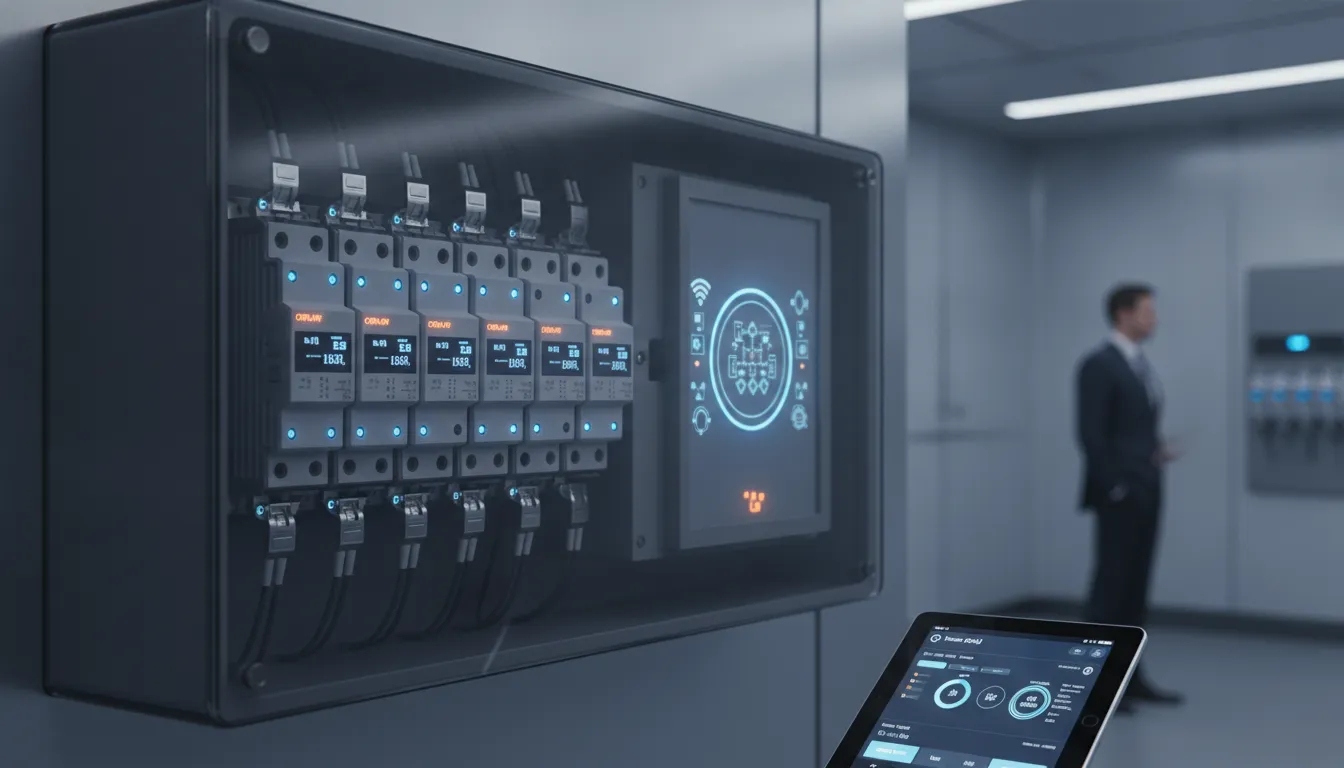
Want a clearer view of how your home uses electricity? A smart circuit breaker may offer circuit-level readings, trip alerts, and, on some models, remote switching. That extra information can help you spot patterns, but it won’t diagnose a fault or guarantee lower energy bills. The breaker also has to match your panel and provide the protection required for its circuit. Before buying, compare the product’s features with your household’s needs and confirm the installation requirements. In this guide, you’ll learn what to look for, how costs can vary, and when to ask an electrician to assess your setup.
Key Takeaways
- Choose features that fit your needs: Compare energy tracking, trip alerts, remote control, app requirements, and any ongoing fees before selecting a model.
- Verify panel and circuit compatibility: Ask a licensed electrician to confirm the breaker is approved for your panel and provides the protection the circuit requires.
- Plan for professional installation: An electrician can assess your panel, identify any needed repairs, and explain labor, permit, and equipment costs before work begins.
What Is a Smart Circuit Breaker, and How Does It Work?
A smart circuit breaker combines the core function of a standard breaker with electronic monitoring and, depending on the model, connected features. Like a conventional breaker, it interrupts power when it detects certain unsafe electrical conditions. Smart features may also show circuit activity in an app, track energy use, or send an alert if a breaker trips.
That added information can help you see which circuits draw the most power or check a breaker’s status when you’re away from home. But smart features vary, and they don’t replace proper wiring, required electrical protection, or repairs. A smart breaker must be compatible with your panel and suitable for the specific circuit.
Some models are designed to fit into compatible panels, while other systems monitor circuits through connected equipment. Before choosing a product, check its specifications and have a licensed electrician assess your panel. AAA Electrical Services helps Sacramento-area homeowners with panel repair and installation, including evaluating whether a panel can support an electrical upgrade.
How smart breakers differ from standard breakers
A standard breaker protects a circuit by interrupting power when current exceeds safe limits. It typically does not provide detailed energy-use information or let you check its status from your phone. A smart breaker may include sensors and communication features that report information such as current, voltage, power, or energy consumption.
Depending on the model, you may also be able to receive alerts or control the breaker remotely. These features can make it easier to check circuit activity, but they aren’t included in every product. Chint Global describes smart breakers as combining electrical protection with monitoring and connected functions. The breaker’s main job is still to help protect the circuit. Its smart features add information and convenience, rather than replacing the need for safe wiring and appropriate protection.
How they detect faults and cut power
Smart breakers use protective mechanisms to detect certain electrical conditions and interrupt power to the affected circuit. Depending on the model, they may respond to conditions such as an overload or short circuit. Some also monitor electrical measurements and report information about circuit activity.
Protection features vary, so don’t assume a smart breaker provides every type of protection your home needs. Arc-fault and ground-fault protection, for example, depend on the circuit, equipment, and applicable code requirements. Monitoring data can help you understand what happened, but it doesn’t identify or repair the cause of a problem. If a breaker trips repeatedly, don’t keep resetting it without finding out why. Contact a licensed electrician to inspect the circuit and confirm it has the right protection.
How apps, Wi-Fi, and smart-home platforms connect
Many smart breakers send information to a phone app or compatible home system through Wi-Fi, a hub, or another communication method. Depending on the product, an app may show breaker status, energy readings, and alerts. Some models also allow remote switching. Check the manufacturer’s requirements before buying, since certain features may require internet access, a hub, or a specific smart-home platform.
Remote control can be convenient, but it doesn’t replace a physical inspection when there’s an electrical concern. A breaker’s ability to switch power from an app depends on its design and intended use. Therma’s overview of smart breakers covers remote monitoring and control as features available on some connected models. Before linking electrical equipment to an account, review the app’s support requirements, connectivity limits, and data privacy information.
How features vary by model and panel
Smart breakers don’t all offer the same features. One model may focus on energy monitoring, while another may include alerts, remote switching, or smart-home integration. Protection functions can differ, too, so review the specifications instead of assuming every product works the same way. CNC Electric’s guide to smart breakers explains that features and system integrations vary by model.
Panel compatibility is just as important as the feature list. Breakers are designed for specific panel brands and types, and a similar-looking breaker may not be approved for your panel. The circuit’s rating and protection requirements also matter. Before purchasing, identify your panel model and ask an electrician to verify compatibility, available space, and applicable code requirements. They can help determine whether a smart breaker is appropriate or whether another electrical repair or upgrade should come first.
What Benefits and Features Matter Most?
A smart circuit breaker can give you more information and control than a standard breaker, but the right choice depends on what you want to manage. You may want to see which circuits use the most energy, receive a notification when a breaker trips, or control certain circuits from an app. If your home has solar panels, an EV charger, or a generator, you’ll also want to check whether the breaker works with that equipment.
Compare specific features rather than choosing a model based on the word “smart.” Check what the app measures, which alerts it sends, whether it needs an internet connection, and what functions remain available if Wi-Fi goes down. Find out whether the breaker supports the smart-home platform you use, and confirm that it is listed for your panel and provides the protection required for the circuit.
Monitoring can help you notice patterns, but it does not guarantee lower energy bills or diagnose electrical problems. Smart controls also do not replace the breaker’s required safety functions, an inspection, or a repair. If you’re unsure about your panel, the circuit requirements, or a potential issue, ask a licensed electrician to assess the setup. AAA Electrical Services can help Sacramento-area homeowners review panel repair and installation options.
Track energy use by circuit and spot high consumption
Some smart breakers track current, voltage, power, or energy use for individual circuits. That information can help you see which parts of your home account for more electricity use. For example, you could compare the circuit serving a workshop with one supplying a frequently used appliance. Circuit-level monitoring can make those patterns easier to spot.
Use the readings as a starting point, not a complete energy audit. Usage changes with household routines, and a high reading alone won’t explain its cause. Check the app’s reporting period and measurement details before drawing conclusions. If consumption changes unexpectedly or you notice other signs of an electrical problem, ask an electrician to investigate.
Get alerts for trips and unusual conditions
Depending on the model, a smart breaker may send a phone notification when it trips or detects an unusual electrical condition. This can help you learn that a circuit has lost power while you’re away and decide whether someone should check on it. Some systems also provide real-time data to help users respond sooner to potential issues, as Therma explains.
An alert is useful information, but it is not a diagnosis. A breaker may trip because of an overloaded circuit, a faulty appliance, or another issue that needs attention. Don’t keep resetting a breaker that trips repeatedly. If that happens, stop using the affected circuit if you can do so safely and contact a licensed electrician to inspect it.
Compare remote control, scheduling, and automation
Some smart breakers let you switch a circuit off or on through an app. Others support schedules or automation with connected devices. These options may be useful for controlling certain loads, but check the product details to learn exactly what you can control and whether an internet connection or smart-home platform is required. Remote control and scheduling features vary by model.
Keep in mind that a breaker controls a circuit, which may supply power to several outlets or devices. It is not the same as a smart switch for one light. Before setting a schedule or automation, identify everything on that circuit and make sure it does not include equipment that needs continuous power. Also check what happens if the app, Wi-Fi, or connected service is unavailable.
Check compatibility with solar, EV chargers, and generators
If your home has solar panels, a battery, an EV charger, or a generator, confirm that the smart breaker is designed to work with your equipment. Compatibility can depend on the breaker and panel, as well as the system’s wiring and configuration. A feature that works in one setup may not apply to yours. Some smart breakers can support energy management with on-site power sources, but the details are model-specific, as Therma notes.
Before buying, ask an electrician or the equipment manufacturer to confirm compatibility and any installation requirements. This is especially important if you’re adding a circuit or changing how power is distributed. A smart breaker does not replace the controls or safety requirements for solar, EV charging, or backup power equipment. AAA Electrical Services provides a solar checkup for homeowners who want their solar system assessed.
Use monitoring as a supplement to required electrical protection
Smart features can add visibility and convenience, but the breaker still needs to provide the protection required for its circuit. Confirm that the product is listed for your panel and that it meets applicable requirements, including AFCI or GFCI protection where needed. Monitoring features do not make a breaker compatible with a panel or suitable for a circuit.
A smart breaker also cannot repair damaged wiring, resolve an overloaded circuit, or replace an electrical inspection. Pay attention to signs such as a burning smell, warm outlets, buzzing, visible damage, or repeated trips. If you notice them, stop using the affected circuit when it is safe to do so and contact an electrician. Smart monitoring works alongside proper equipment selection, installation, and maintenance, not in place of them. AAA Electrical Services offers a range of residential electrical services for Sacramento-area homeowners.
Which Smart Breaker Options Should You Compare?
Smart breakers differ in how they connect to your electrical system and what they let you monitor or control. Some replace individual breakers in a compatible panel; others use a connected panel or separate monitoring equipment. Before comparing brands, consider what you want to manage. You may only need alerts when a breaker trips, or you may want circuit-by-circuit energy data, remote control, or smart-home integration.
Check the practical details, too: which circuits the system supports, whether it needs Wi-Fi or a hub, and whether advanced features carry ongoing fees. Find out what still works if your internet connection drops, and review how the app handles your data. Most importantly, confirm that the equipment fits your panel and provides the protection required for each circuit. Smart features don’t replace standard electrical safeguards or a professional assessment. Comparing these details can help you narrow your choices before asking an electrician to verify compatibility and installation requirements. Sacramento-area homeowners can also review AAA Electrical Services’ information on electrical panels to learn more about panel repair and installation.
Compare individual breakers and connected panels
Some smart breakers replace one or more standard breakers in a compatible panel. This can suit homeowners who want to monitor or control a few specific circuits. Other systems use a connected panel or add-on monitoring equipment to collect information across more of the home. These options may offer wider visibility, but they can involve different equipment and installation needs.
Compare how many circuits each system supports, which panel brands it works with, and whether you can add circuits later. Remote control may let you switch power without walking to the panel, but it doesn’t replace safe troubleshooting or in-person service when a problem occurs. Some smart breakers allow remote power control, though features vary by model. Ask an electrician to confirm that your panel can support the option you’re considering.
Review monitoring, alerts, and control features
Check what each system measures and how it presents the information. Some models show energy use by circuit; others focus on breaker status and trip notifications. If energy tracking matters to you, see whether the app displays historical data, makes it easy to compare circuits, and explains its measurements clearly. Monitoring can help you understand your household’s energy patterns, but it can’t guarantee lower utility bills.
Review which alerts you can receive, such as notifications about a trip or unusual activity, and whether they arrive through the app, text, or email. Control features may include remote switching, schedules, or smart-home routines. Confirm that the exact model offers the functions you want. Circuit-level monitoring and control can provide more detailed information, but the available tools depend on the product and its app.
Check app support, internet needs, fees, and data privacy
Confirm that the app supports your phone and operating system, then check whether the system connects directly to Wi-Fi or needs a separate hub. Some monitoring and control functions require an internet connection. Ask what happens if Wi-Fi or the manufacturer’s service is unavailable, and whether the breaker continues providing its standard electrical protection.
Read the product details for subscription charges, cloud storage fees, or costs for advanced features. Review the privacy policy, too, so you understand what data the app collects, how it is stored, and whether you can delete it. Smart breaker systems may rely on a stable internet connection, and compatibility varies by model. If you use a smart-home platform, verify that the breaker supports both the platform and the specific functions you plan to use.
Verify safety listings and AFCI or GFCI protection
Smart features don’t automatically provide every type of electrical protection a circuit may need. Check the exact model for applicable safety certifications, its ratings, and whether it includes the required AFCI or GFCI protection. AFCI protection helps address certain arc faults that can contribute to electrical fires. GFCI protection helps reduce the risk of electric shock in areas where water may be present.
Some smart breakers combine monitoring with AFCI or GFCI protection, while others don’t. Check the manufacturer’s specifications instead of assuming a product has these safeguards because it’s labeled “smart.” AFCI and GFCI protection are distinct features worth confirming for each circuit. A licensed electrician can check the requirements for your home and verify that a breaker is suitable for your panel before you buy.
How Much Does a Smart Circuit Breaker Cost?
The total cost depends on the equipment you choose, your electrical panel, and the work required for installation. A single smart breaker may cost less than a connected panel that monitors several circuits, but it won’t offer the same coverage. An electrician can check your setup and provide a quote based on your home’s needs.
Compare equipment costs by feature and system
Smart breakers typically cost more than standard breakers because they add features such as circuit-level energy monitoring, alerts, and remote control. Prices vary by breaker rating, the number of circuits monitored, and app or smart-home compatibility. A connected panel may cost more upfront than installing a single breaker, but it can monitor multiple circuits. Compare the features included with each option and check that the equipment is compatible with your panel. Smart breaker features can help you decide whether the added monitoring and control are useful for your household.
Include labor, permits, and possible panel work
Equipment is only part of the project cost. You may also need to account for electrician labor, permit fees, or work on the panel. For example, the breaker may not be designed for your panel, or the panel may need repair before installation. Installation requirements can vary based on the existing electrical system, so a product’s price alone won’t tell you what the full project will cost. Have a licensed electrician inspect the panel, confirm compatibility, and explain any additional work before installation begins.
Weigh convenience and visibility, not guaranteed savings
A smart breaker can show energy use by circuit, send alerts, and let you control certain circuits remotely. These features may help you spot an appliance that uses more energy than expected or find out when a breaker trips. However, monitoring doesn’t guarantee lower utility bills, and smart features can’t prevent every electrical issue. Consider how often you’ll use the app and alerts, and whether those features justify the extra cost. Smart breakers should work alongside properly installed electrical protection, not replace inspections or repairs when something is wrong.
Get clear, upfront installation pricing
Ask for an estimate that separates equipment, labor, permits, and any panel work. Check whether app or subscription fees apply, and ask what might change the total if the electrician finds an issue during inspection. Clear pricing helps you compare options and understand what the installation includes. AAA Electrical Services provides residential electrical work in the Sacramento area, with upfront pricing. If the project requires a larger investment, review the company’s financing options and ask which plans are available for your work.
Will a Smart Circuit Breaker Work With Your Panel?
A smart breaker needs to match your electrical panel and the circuit it will protect. Its wiring, safety features, and connection requirements also matter. Before buying one, gather a few details about your setup and ask a licensed electrician to confirm compatibility.
Identify the panel brand, breaker type, ratings, and open spaces
Look for the manufacturer and model number on the label inside the panel door. The label may also list the breaker types approved for that panel. Take a clear photo of it, along with the existing breakers, and share it with your electrician. Breakers can look alike without being interchangeable, so don’t choose one by appearance alone.
Check the circuit’s amperage and whether it requires AFCI or GFCI protection. Also ask if the panel has an open slot and whether it can accommodate the specific smart breaker. A professional can assess your electrical panel and identify any compatibility concerns before you purchase equipment.
Confirm wiring and protection requirements
Smart breakers may need a neutral wire to power their monitoring and communication features. Requirements vary by model, so check the manufacturer’s instructions and ask an electrician to confirm that your panel has the wiring the device needs. They can also verify that the breaker provides the correct protection for the circuit, including AFCI or GFCI protection where required.
Don’t open the panel or attempt to install a breaker yourself. Electrical panels can contain hazardous voltage, even when a main breaker is switched off. A licensed electrician can check the wiring and ensure the work meets applicable code. Smart-breaker installation guidance outlines why wiring and terminal requirements differ between models.
Check Wi-Fi coverage and smart-home compatibility
Your panel may be compatible while your home network presents a separate challenge. Check which Wi-Fi band the breaker uses, whether the signal reaches the panel, and which phone app is required. Some models need a 2.4 GHz network during setup. Review the product documentation before buying, especially if your router combines network bands or the panel sits in a garage or basement.
If you use a smart-home platform, confirm that the breaker supports it. Some models work only through the manufacturer’s app, and features such as voice control or automation may vary. Ask whether the app requires a subscription and how the manufacturer handles energy-use data. Setup guidance highlights Wi-Fi requirements that can affect pairing.
Ask if the panel needs repair or replacement
An older panel does not automatically need to be replaced to add a smart breaker. Its condition, capacity, compatibility, and history of electrical problems are more important than its age alone. Ask an electrician to check for signs of damage, corrosion, overheating, or repeated breaker trips before adding new equipment. If the panel has a safety issue, address it first.
A smart breaker won’t fix an overloaded circuit or a failing panel. After inspecting the system, an electrician can recommend a compatible breaker, another monitoring option, repairs, or panel replacement. Advice on smart breakers and older panels recommends assessing the existing system rather than replacing a panel based on age alone. Ask for the recommended work and clear pricing before making a decision.
What Should You Expect During Installation?
Installing a smart circuit breaker takes more than replacing one breaker with another. The electrician needs to confirm that the device works with your panel, check the circuit and wiring, and make sure the installation follows the product instructions and applicable local requirements. Once the breaker is in place, they can test its operation and help you understand how to connect it to the manufacturer’s app.
Plan for a temporary power interruption while the work is underway. Before the appointment, ask how long the outage may last, whether a permit or inspection is required, and what information you’ll need for app setup. If anyone in your home relies on powered medical equipment, discuss that with the electrician before work begins. You can also prepare by locating your Wi-Fi details and identifying devices on the circuit.
A smart breaker’s connected features don’t replace the basic safety checks that come with electrical work. For help assessing your panel and installation needs, contact a licensed professional through AAA Electrical Services.
Have a licensed electrician check compatibility and install the breaker
Smart breakers are designed for specific panels and electrical ratings. Before choosing one, have a licensed electrician check your panel’s make and model, available space, wiring, and the circuit’s protection requirements. A breaker that appears to fit may not be approved for your panel, so don’t rely on appearance alone. A professional can also spot panel damage or other issues that may need attention before installation.
Working inside an electrical panel can expose you to dangerous voltage, even when a breaker is switched off. Leave the installation to a qualified electrician, who can follow safe work practices and the manufacturer’s instructions. AAA Electrical Services can help Sacramento-area homeowners assess their electrical systems and discuss the work before it begins.
Plan for a power outage, app setup, and testing
Power to some or all of your home may need to be turned off while the electrician works. Ask in advance how long the interruption may last, and mention any essential equipment that depends on electricity. Avoid opening the panel or handling its wiring yourself.
After installation, the electrician should test the breaker and explain what its indicators mean. Connecting it to an app may require a compatible phone, your home Wi-Fi details, and the manufacturer’s setup instructions. Some installation guidance calls for qualified workers to isolate the supply, verify that it is de-energized, and test the installation before use. Ask your electrician to walk you through the results and any next steps.
Confirm local permit and code requirements
Permit and inspection requirements depend on the work being done and the rules for your location. Before scheduling, ask your electrician whether the installation needs a permit or inspection, and clarify who will handle those steps. Requirements may differ if the project involves changes to the panel or wiring, rather than installing a compatible breaker in an existing setup.
The work should follow applicable electrical codes and the breaker manufacturer’s instructions. Your electrician can explain which requirements apply and whether an inspection is needed after the job. Homeowners in the area can check with their local building department or ask a contractor familiar with the region. AAA Electrical Services serves communities across the Sacramento metropolitan area and can discuss the scope of your project.
Update firmware and follow manufacturer guidance
Once the breaker is installed, use the manufacturer’s instructions to connect it to the app and check whether a firmware update is available. Setup steps vary by model. You may be able to name the circuit, choose alert preferences, or review energy information, but available features depend on the product and its connection requirements.
Ask the electrician to show you where to check the breaker’s status and find its support information. Keep the manual or a link to the official product guide handy in case you need to troubleshoot an alert or connection issue. Manufacturer guidance recommends completing app setup and checking for firmware updates after installation. If the app won’t connect or the breaker behaves unexpectedly, contact the manufacturer or your electrician. Don’t remove the panel cover or attempt electrical troubleshooting yourself.
Call an electrician about wiring concerns or repeated trips
A notification can tell you that a breaker has tripped, but it may not identify the cause. Repeated trips can indicate an overloaded circuit, a problem with an appliance, damaged wiring, or another electrical issue. Note what was running when the trip occurred, and share those details with an electrician. Don’t keep resetting the breaker without addressing a recurring problem.
Contact a licensed electrician promptly if trips continue or you notice heat, buzzing, a burning smell, or visible damage. Avoid touching damaged equipment or opening the panel. A residential electrical repair professional can inspect the circuit and determine whether the issue involves the breaker, wiring, or connected devices. If you see smoke or there is an immediate fire risk, leave the area and contact emergency services.
What Should You Know Before Choosing a Smart Breaker?
Smart breakers can help you monitor and control parts of your electrical system, but their features and compatibility vary. Before choosing one, check what happens when it trips, what you can control remotely, and whether it works with your panel. Keep in mind that smart features add information and convenience, but they don’t replace safe installation or electrical maintenance.
Some tripped breakers still need a manual reset
Remote access doesn’t always mean you can restore power from your phone after a breaker trips. Some models allow you to switch a circuit off or on remotely during normal operation, but require you to visit the panel and reset the breaker after a trip. Check the manufacturer’s instructions so you know exactly what your chosen model can do. A discussion among smart-breaker users also illustrates why it’s best not to assume every function is available through an app. If a breaker trips repeatedly, don’t keep resetting it without addressing the cause. An overloaded circuit, faulty appliance, or wiring problem may need attention from a licensed electrician.
Remote switching differs from a smart switch
A smart breaker controls power at the electrical panel, while a smart switch typically controls a light or fixture from its wall location. Depending on the model, you may be able to switch an entire circuit remotely with a smart breaker. That could affect several outlets or devices at once, not just one light. A wall-mounted smart switch is often a more direct choice when you want to control a specific fixture. Smart breaker guidance from Chint Global describes remote switching as one possible feature. Before buying, think about what you need to control and what else shares that circuit.
Smart breakers don’t fit every panel
A smart breaker must be approved for use with your electrical panel. Some models are designed for specific panel brands or product lines, so a breaker that appears to fit may still be incompatible. Check the panel label and the breaker manufacturer’s documentation for the approved panel type, breaker model, and electrical ratings. Smart breaker compatibility information explains why it’s important to match the breaker to the panel. If you can’t identify your equipment or confirm compatibility, ask a licensed electrician to inspect it. They can also check the panel’s condition and determine whether it needs repair before you add new equipment.
Energy monitoring doesn’t guarantee lower bills
Circuit-level monitoring can show which parts of your home use the most electricity and help you notice changes in consumption. You may use that information to make practical adjustments, such as changing when you run certain appliances. But tracking energy use doesn’t automatically lower your bill. Savings depend on what the data shows and whether you make changes that reduce consumption. Monitoring features also differ: some systems provide current usage, while others offer historical reports or circuit-by-circuit comparisons. Before choosing a smart breaker, decide which information would help you make household decisions. Treat monitoring as a way to understand energy use, not a promise of reduced costs.
Smart features don’t replace inspections or repairs
A smart breaker may send alerts or provide usage data, but it can’t assess every part of your home’s electrical system. It won’t repair damaged wiring or identify the cause of a circuit that keeps tripping. Use alerts as helpful information, not as a diagnosis. Contact a licensed electrician if you notice repeated trips, unusual heat, buzzing, or a burning smell near the panel. Regular inspections can uncover issues that monitoring alone may not detect. Sacramento-area homeowners can arrange panel repair or installation with AAA Electrical Services. Ask an electrician to confirm that your panel and circuits are safe and compatible before adding smart equipment.
Related Articles
- How to Improve Home Safety with Modern Breaker Technology
- Why Upgraded Breakers Improve Long-Term Reliability at Home
- Best Ways to Future-Proof Your Home’s Electrical System
- Why Sacramento Homeowners Should Monitor Breaker Performance
- What Homeowners Should Know Before Installing Smart Electrical Devices
Frequently Asked Questions
Can a smart circuit breaker lower my electricity bill?\ It can show which circuits use more electricity, helping you identify patterns and consider changes to your household habits. The device itself does not guarantee savings, and results depend on how you use the information.
Can I reset a tripped smart breaker from my phone?\ That depends on the model. Some breakers offer remote switching during normal use but still require a manual reset after a trip. Check the manufacturer’s instructions, and contact an electrician if the breaker trips repeatedly.
Will a smart breaker work with any electrical panel?\ No. Breakers are designed for specific panels, and similar-looking models may not be interchangeable. Ask a licensed electrician to confirm the panel, circuit rating, wiring, and required protection before you buy.
Can I install a smart circuit breaker myself?\ It’s safer to have a licensed electrician handle the installation. Electrical panels can contain hazardous voltage, and the work must meet the breaker’s instructions and applicable requirements.
When should I call an electrician about a smart breaker?\ Contact an electrician if a breaker trips repeatedly, the app reports an issue you can’t explain, or you notice heat, buzzing, a burning smell, or visible damage. Sacramento-area homeowners can contact AAA Electrical Services for help with electrical concerns.